






 Why Trust Us?
ToProxyLab has been testing proxy services since 2025. We pay for most plans ourselves, and when a provider gives us test traffic we say so in the review — free traffic buys a place in the testing queue, nothing else. Every provider goes through the same speed, uptime and fraud-score checks, and we publish the real numbers, including the bad ones. A rating cannot be bought. Learn who we are and how we review proxies.
Why Trust Us?
ToProxyLab has been testing proxy services since 2025. We pay for most plans ourselves, and when a provider gives us test traffic we say so in the review — free traffic buys a place in the testing queue, nothing else. Every provider goes through the same speed, uptime and fraud-score checks, and we publish the real numbers, including the bad ones. A rating cannot be bought. Learn who we are and how we review proxies.
A rep from Thordata reached out to me. They offered to let me test their proxies and write a review – specifically, they wanted my take on the quality of their residential pool. I said yes. They generously credited my balance with 9 GB of traffic.
And let me get the main thing out of the way right now, so there are no questions later. The free traffic has zero impact on my score. None. Every test is documented in screenshots, I’ve kept the logs, and I’ll hand them over to anyone who wants to double-check my numbers. I write what I saw. Nobody hired me to sing praises over a few free gigabytes.
I needed residential proxies again for a work project, and Thordata landed in my crosshairs – the service kept popping up in roundups, and the homepage promises 100M+ IPs, 190+ countries, 99.9% uptime, 120+ scraper APIs, and ready-made datasets. Sounds like a full-cycle data platform, not just an IP pool. So I decided to put it through its paces.
One fact stayed in the back of my mind from the start. Proxyway – the leading independent market researcher – tests 12 top providers in its annual 2025 report. Thordata isn’t on the list. Which means there are no transparent third-party benchmarks for this service, and that already tells you something. So I had to do the testing myself.
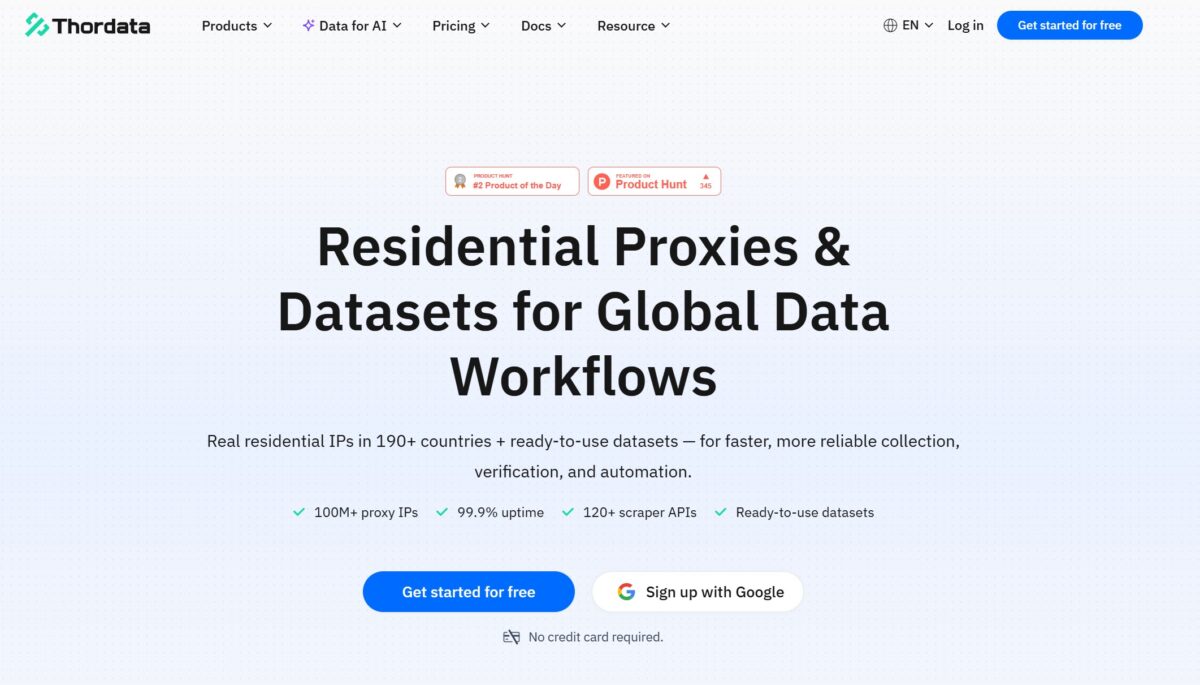
Sign-up and first impressions
Getting in was painless. Social login via Google/GitHub/SSO, or the classic form. I went through Google in a couple of clicks, nobody asked for a card – turns out “No credit card required” was true, at least at the door.
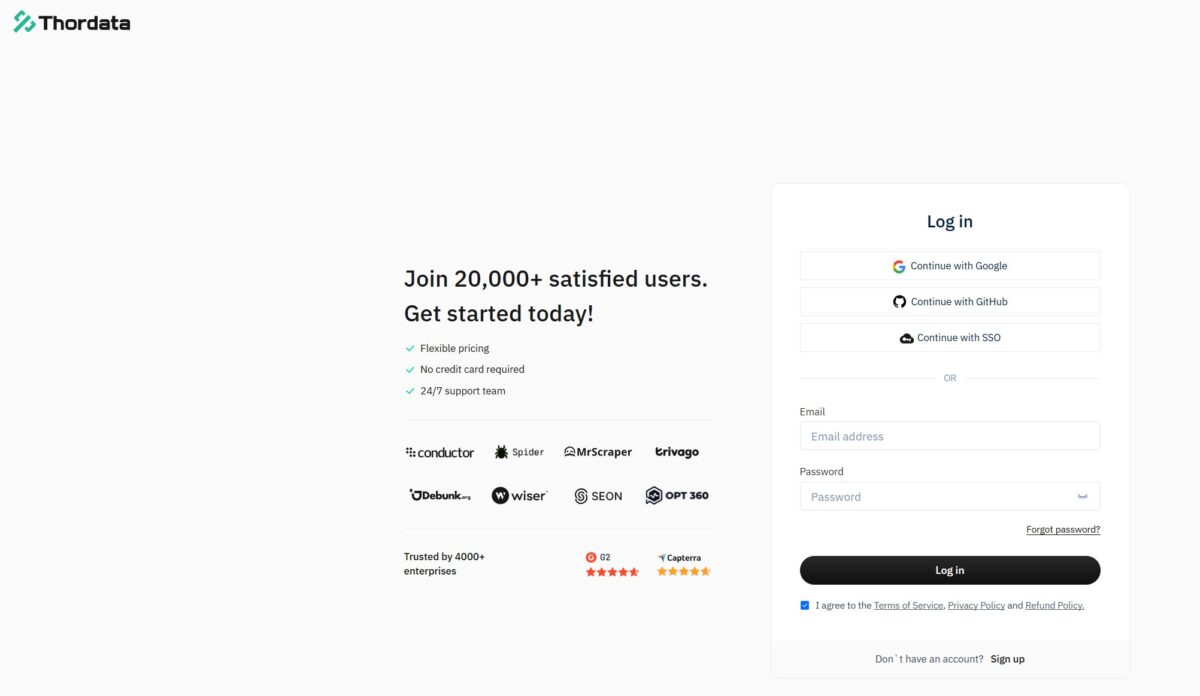
On the left, the usual stack of social proof: “20,000+ users,” client logos, G2 and Capterra ratings. Looks clean. But keep those ratings in mind. A bit further down I’ll explain why Thordata’s reputation isn’t as spotless as the storefront makes it look.
The dashboard: this is genuinely a platform, not just an IP pool
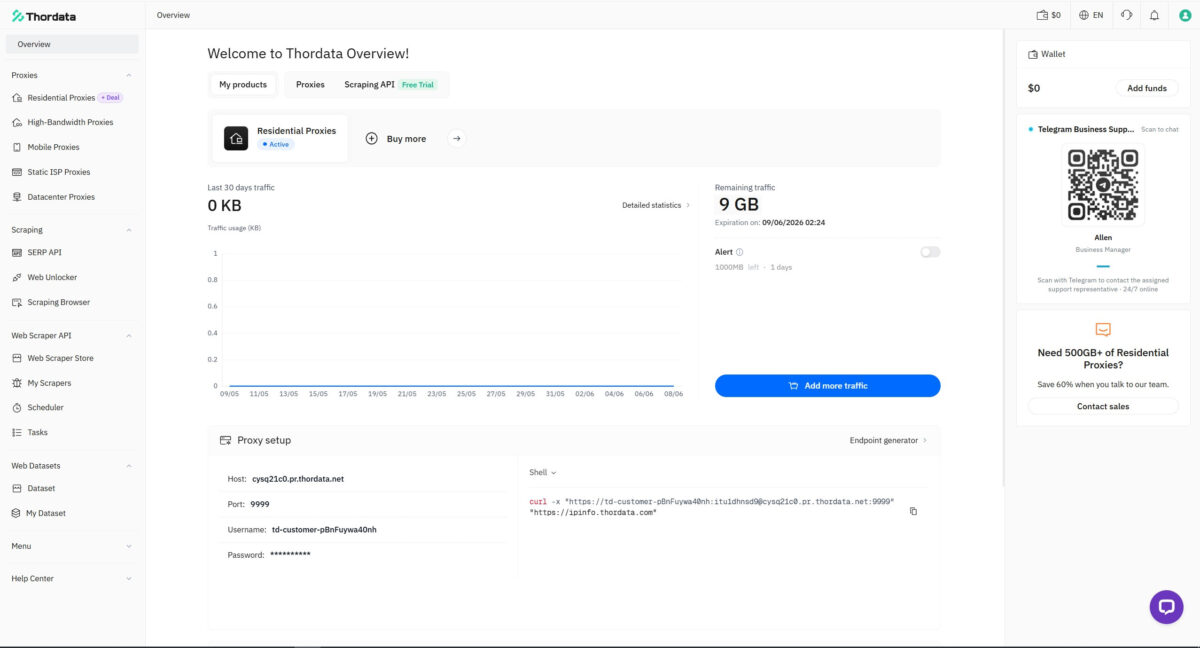
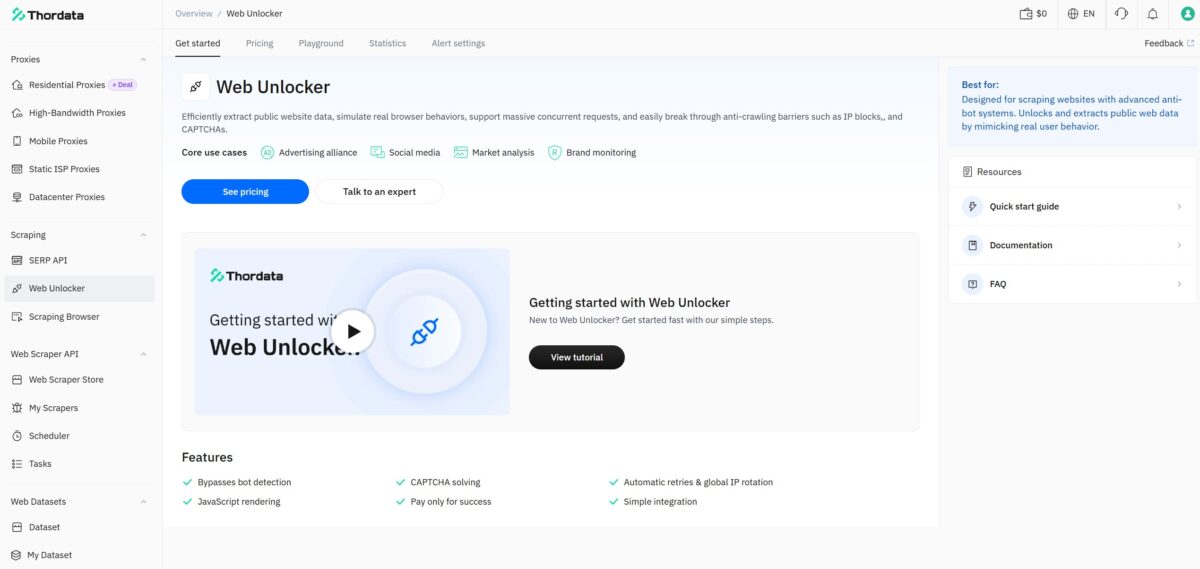
This part I honestly liked. Thordata’s dashboard isn’t a bare proxy list with two buttons – it’s a full-blown workspace. The left menu is loaded: Residential/Mobile/ISP/Datacenter proxies, a separate Scraping block (SERP API, Web Unlocker, Scraping Browser), a Web Scraper API with a scraper store and scheduler, plus ready-made datasets. You can tell the company is aiming wider than just “sell some gigabytes.”
The proxy list itself, though, isn’t generated on the main dashboard – it’s done separately, through the Endpoint generator button. That opens a proper builder: on the left you pick the auth method (User or Whitelisted IPs), set the Location settings – Host, Country, State, City, ASN – and the session type (Rotating or Sticky, with a lifetime of up to 90 minutes). On the right, it instantly builds a list of endpoints in the format you want, with an adjustable count (I set 50) and output format. Up top, there’s a ready-to-go curl Test command for a quick connection check.
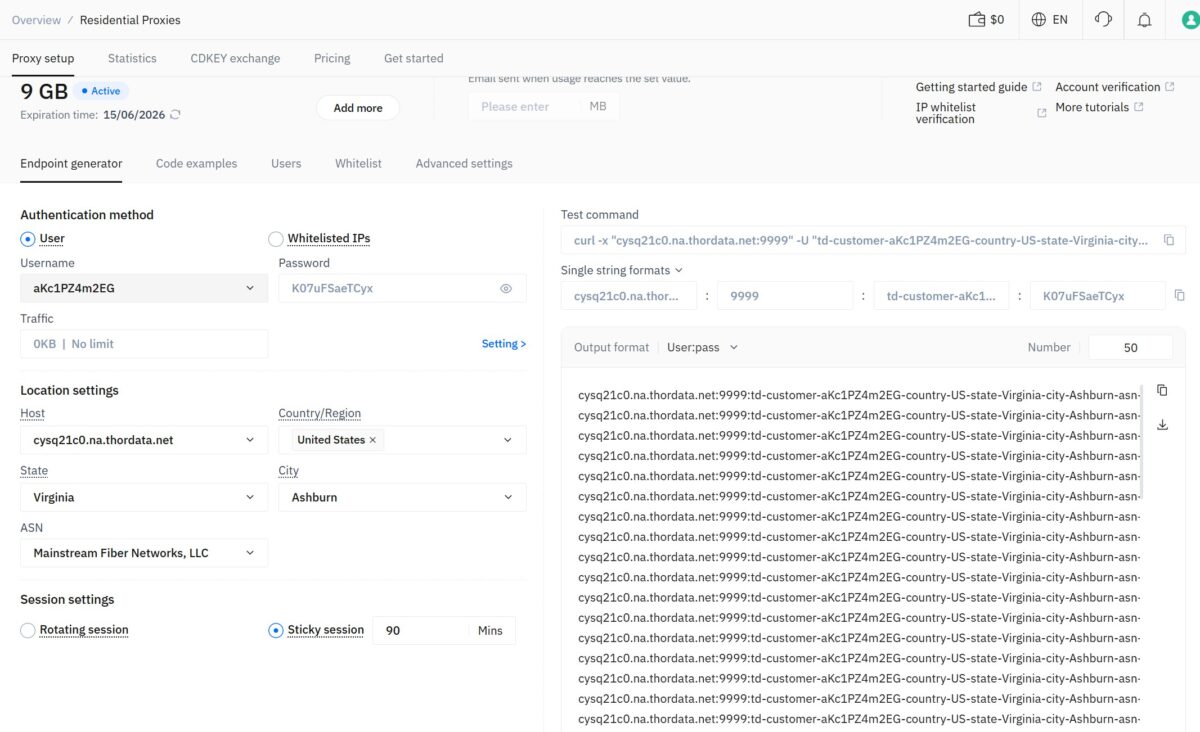
Smartly done: everything on one screen, copy the list, drop it into a tester. Credit where it’s due, the builder is handy. Though this is exactly the screen where the first trap was waiting for me – more on that below.
But a builder is just a builder. I was hired to check the pool, not to admire the interface. So let’s get to it.
First trap: ASN targeting doesn’t work
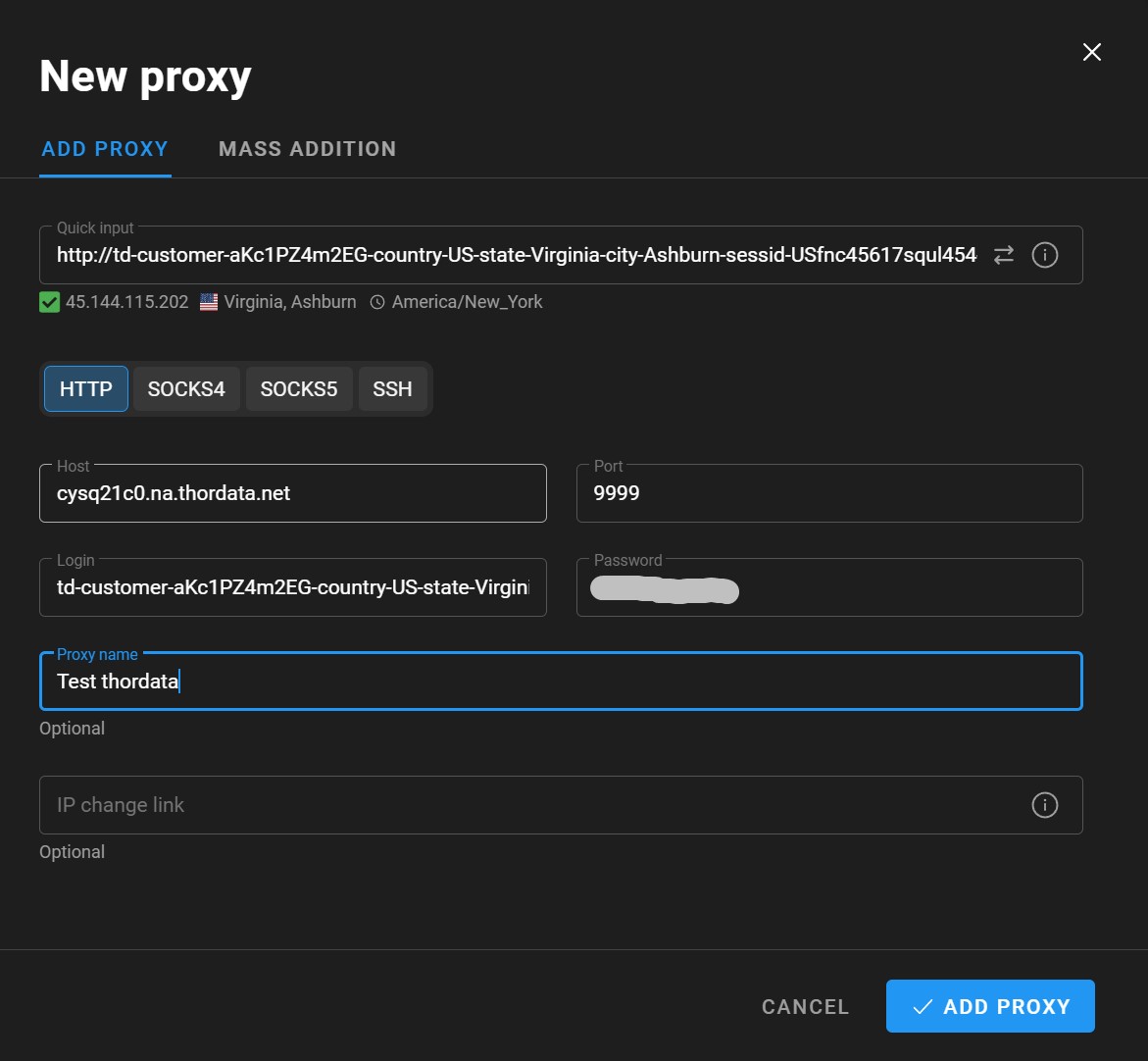
In the generator I dialed everything in as precisely as I could: US, Virginia, Ashburn, ASN – Mainstream Fiber Networks, LLC. Generated the list, dropped it into FOGLDN ProxyTester. And – silence. The whole list came back FAILED.
I blamed the tool at first. Hooked up a single endpoint in the antidetect browser – same thing. Tried different string formats, switched between HTTP/HTTPS, ran through other ASNs – dead air. Half an hour down the drain.
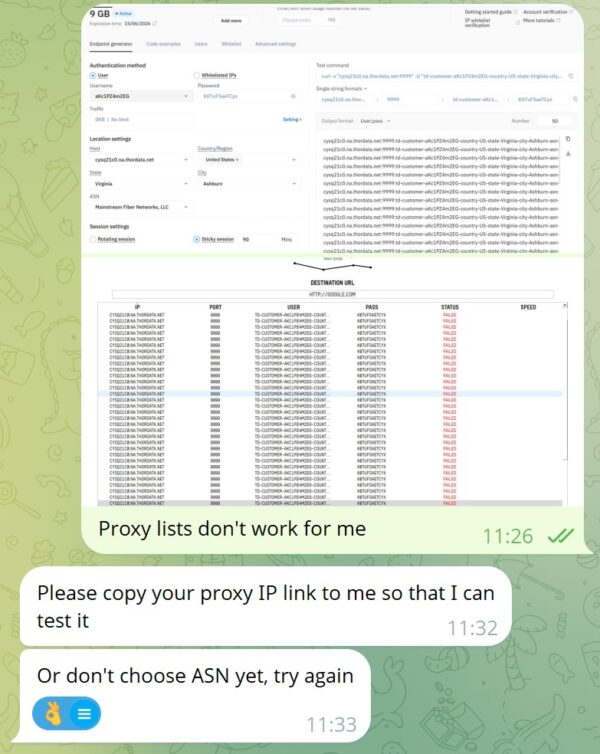
I messaged a manager. The reply came fast: drop the ASN. And an honest explanation – there just aren’t enough IPs under that ASN, so the session won’t assemble.
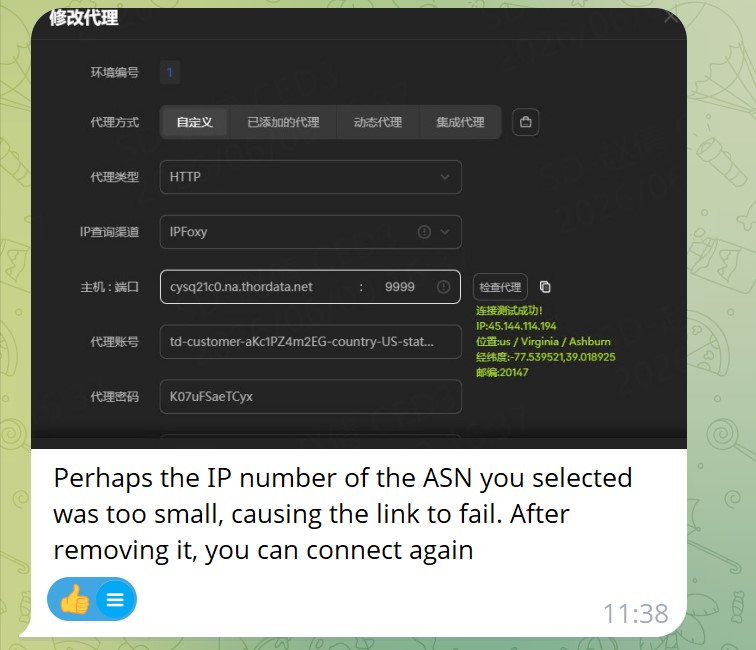
Let me translate. Under the “Ashburn + a real home ISP” combo there are so few live IPs in the pool that the system simply couldn’t pull it off. I dropped the ASN – and everything sprang to life instantly.
Mixed feelings here. Support did great – answered to the point and fixed it in a minute. But the fact itself put me on guard. If targeting a real ISP falls apart for lack of addresses, just how densely is the pool actually packed with genuine residential IPs? I filed that question away and moved on with it in mind.
Test 1. Connectivity: FOGLDN + Byteful
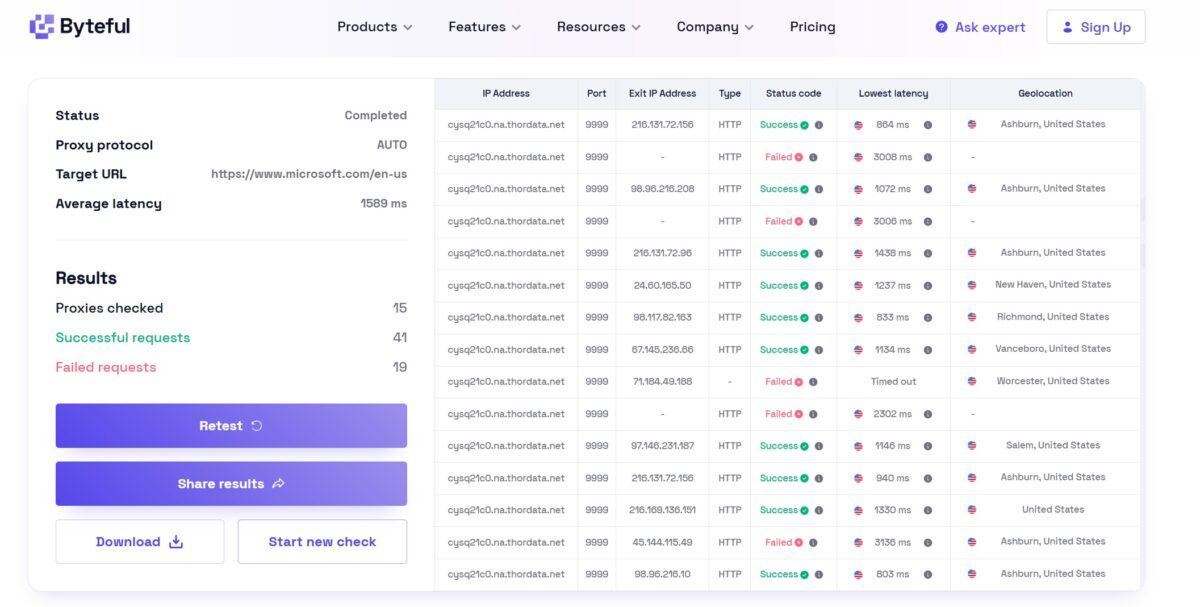
Without the ASN, it’s a different picture. 50 proxies through FOGLDN hitting google.com – almost the whole list went green, just a few stray FAILEDs. For residential that’s normal; real devices go offline.
The speed, though, didn’t make me happy. Latency wanders from ~1267 to 2848 ms, averaging around 1600-1800 ms. Byteful on 15 proxies showed an average latency of 1589 ms – almost a dead match with FOGLDN. When two independent testers land on the same number, that’s not a fluke, it’s a diagnosis: the pool is consistently slow, a second and a half to two seconds per connection.
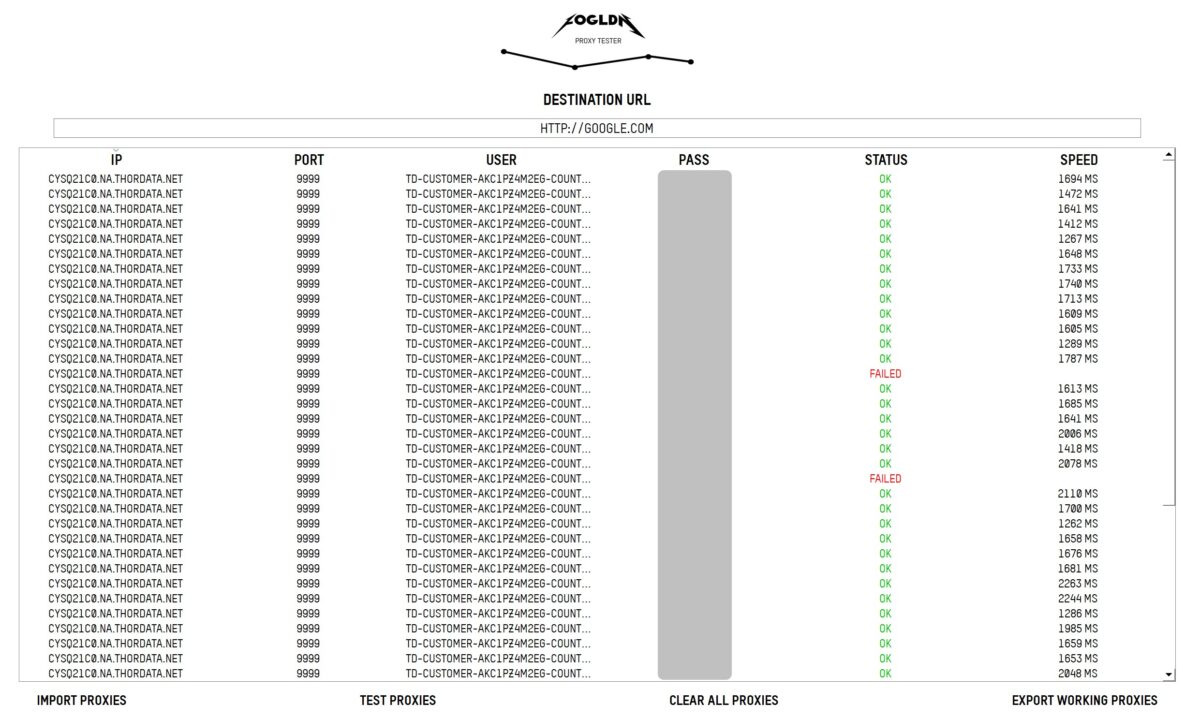
The geography, on the other hand, was a genuine pleasant surprise. The exit IPs are scattered across real little US towns – Ashburn, New Haven, Richmond, Vanceboro, Salem – and the subnets (24.60.x.x, 98.117.x.x, 67.145.x.x) look like home ISPs such as Comcast and Verizon, not hosting blocks. By the looks of it, real residential. But “by the looks of it” doesn’t convince me. Let’s check the IP type.
Test 2. The main check – what’s actually under the hood of an IP
This, in my view, is where the platform flunks the exam.
Thordata itself, in its FAQ, advises checking the type via ipinfo and treating the “ISP” label as proof of residential status. That’s sleight of hand – serious classification (IPQualityScore, Scamalytics, IP2Location) looks at ASN reputation, fraud score, and abuse history, not a single label.
I grabbed a specific exit address from a live session – 216.169.136.66 – and ran it through the whole arsenal.
IP2Location handed down the verdict: Usage Type – Data Center/Web Hosting, ASN – AS62240 Clouvider Limited, and in the Proxy Data block, Proxy Type VPN, Provider IPVanish, Fraud Score 99 out of 100.
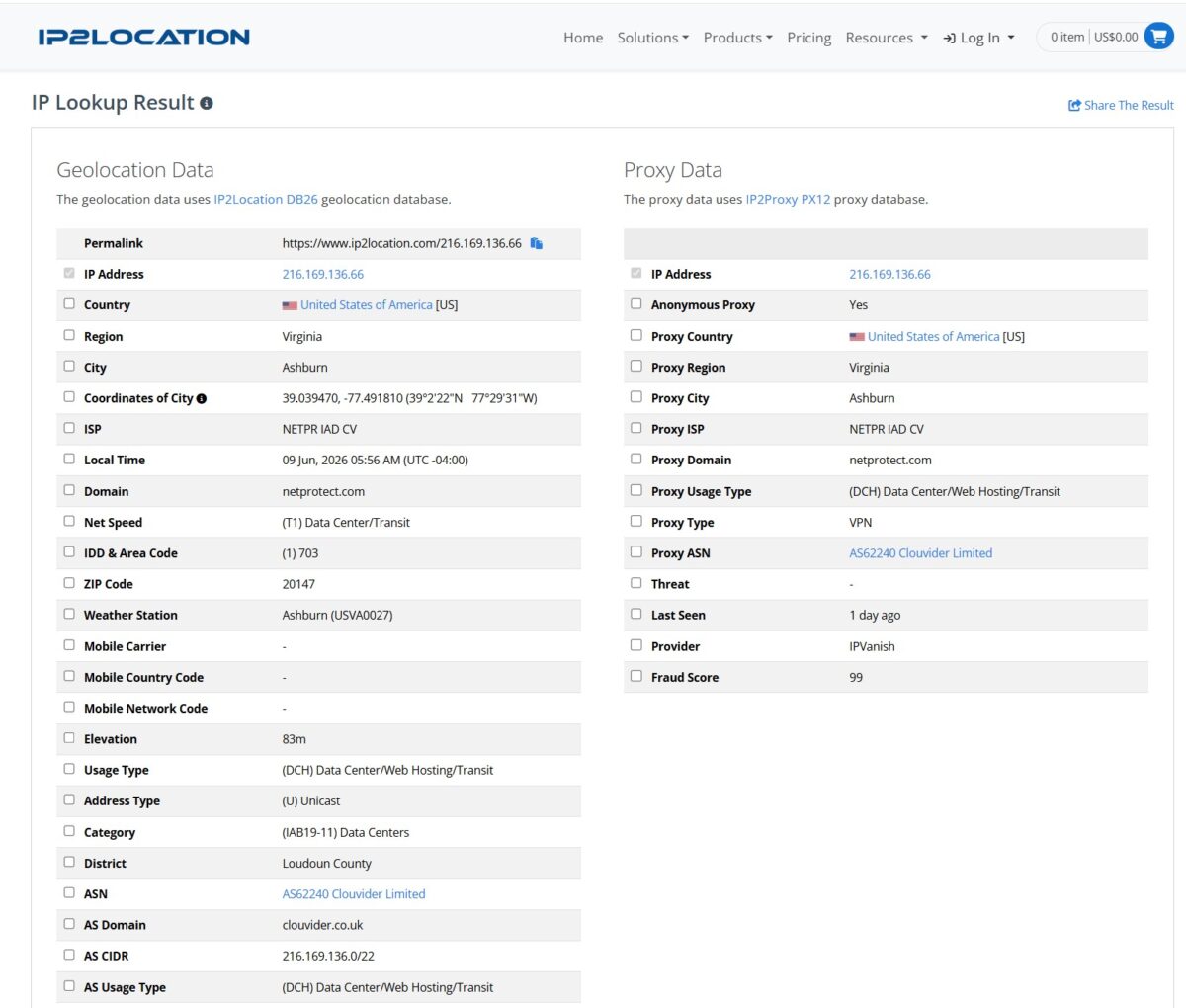
Ninety-nine. On the IP2Location scale that’s the ceiling of risk. This is not a home address. This is a node of the commercial VPN IPVanish, sitting on Clouvider hosting – a publicly known UK data center, not a network of live subscribers.
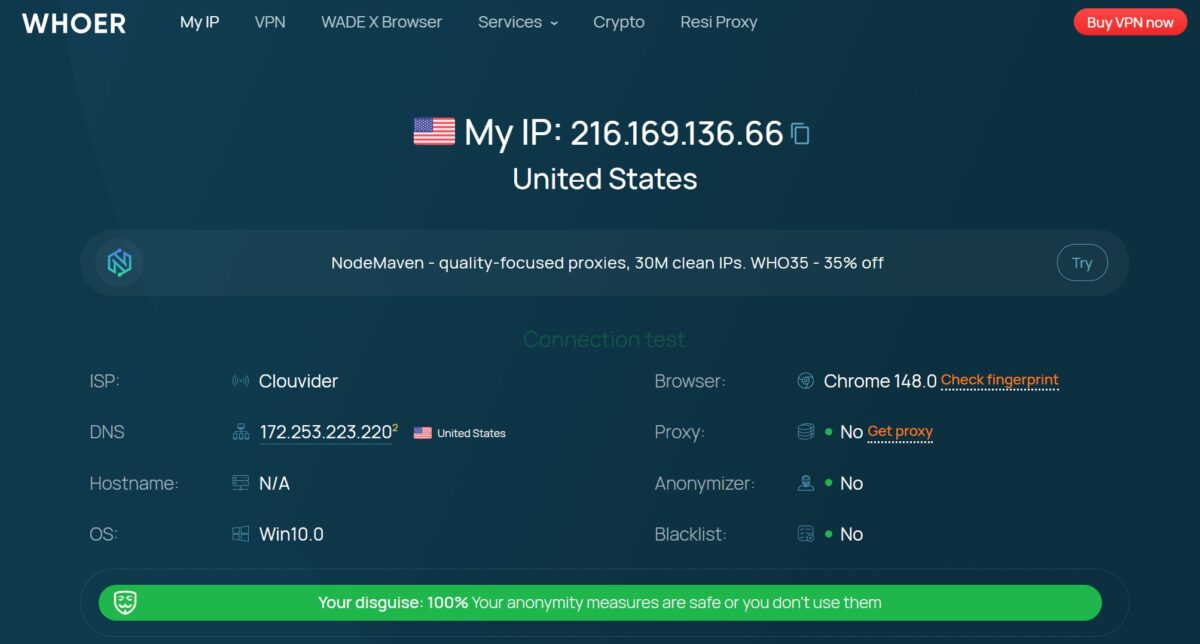
Whoer broke from the pack – it pegged the ISP as Clouvider, yet still wrote “Your disguise: 100%,” meaning at the consumer level the masking reads as clean. Browser – Chrome 148, OS Win10, blacklist No. That only confirms Whoer looks at the surface: it sees the hosting domain, but it doesn’t do the deep VPN-node classification that IP2Location does. On the question of IP quality, I wouldn’t lean on it.
IPinfo, APIVoid, and Scamalytics confirmed the same thing: Hosting + VPN. Four out of five tools said “this is a hosting VPN.”
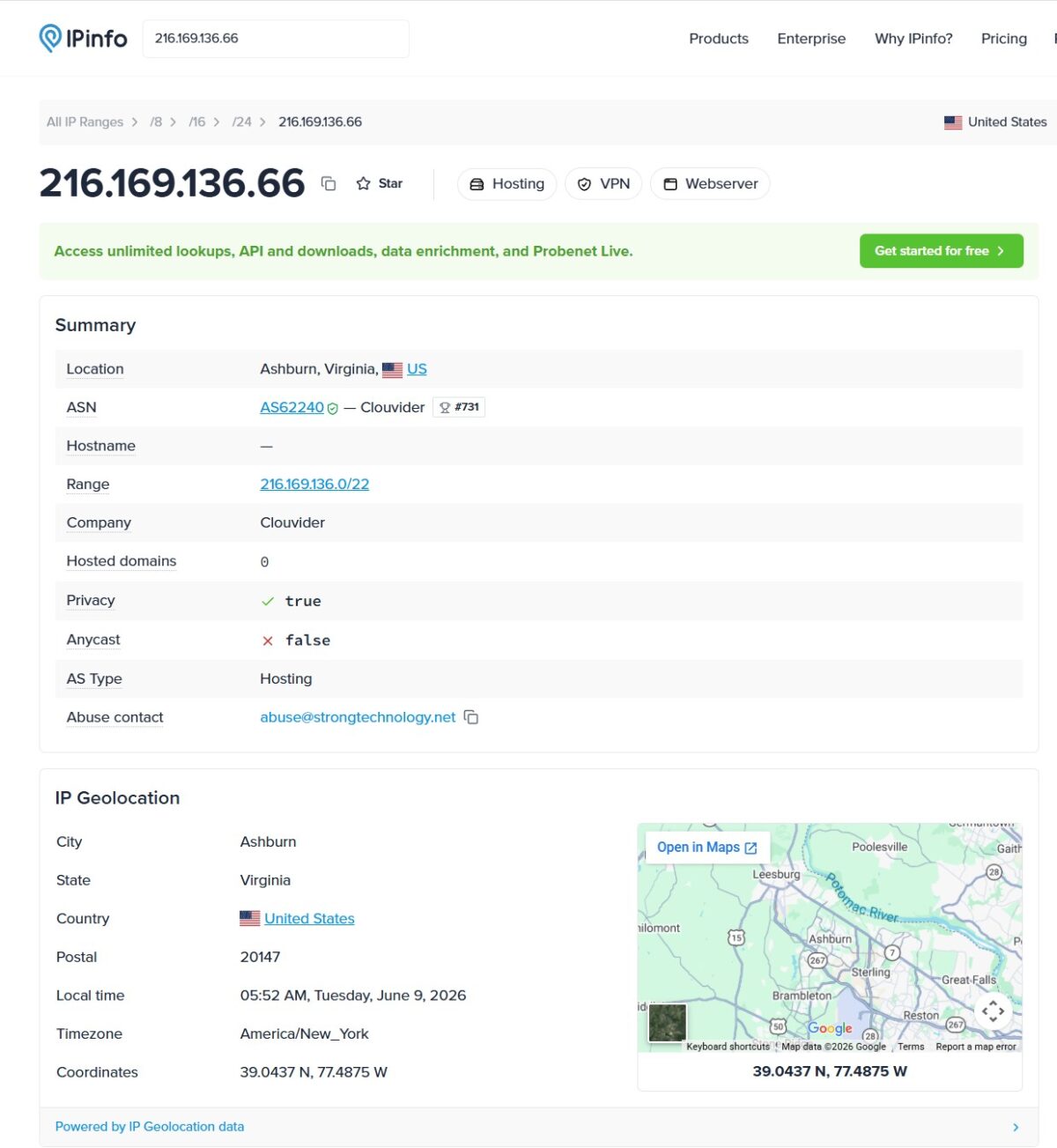
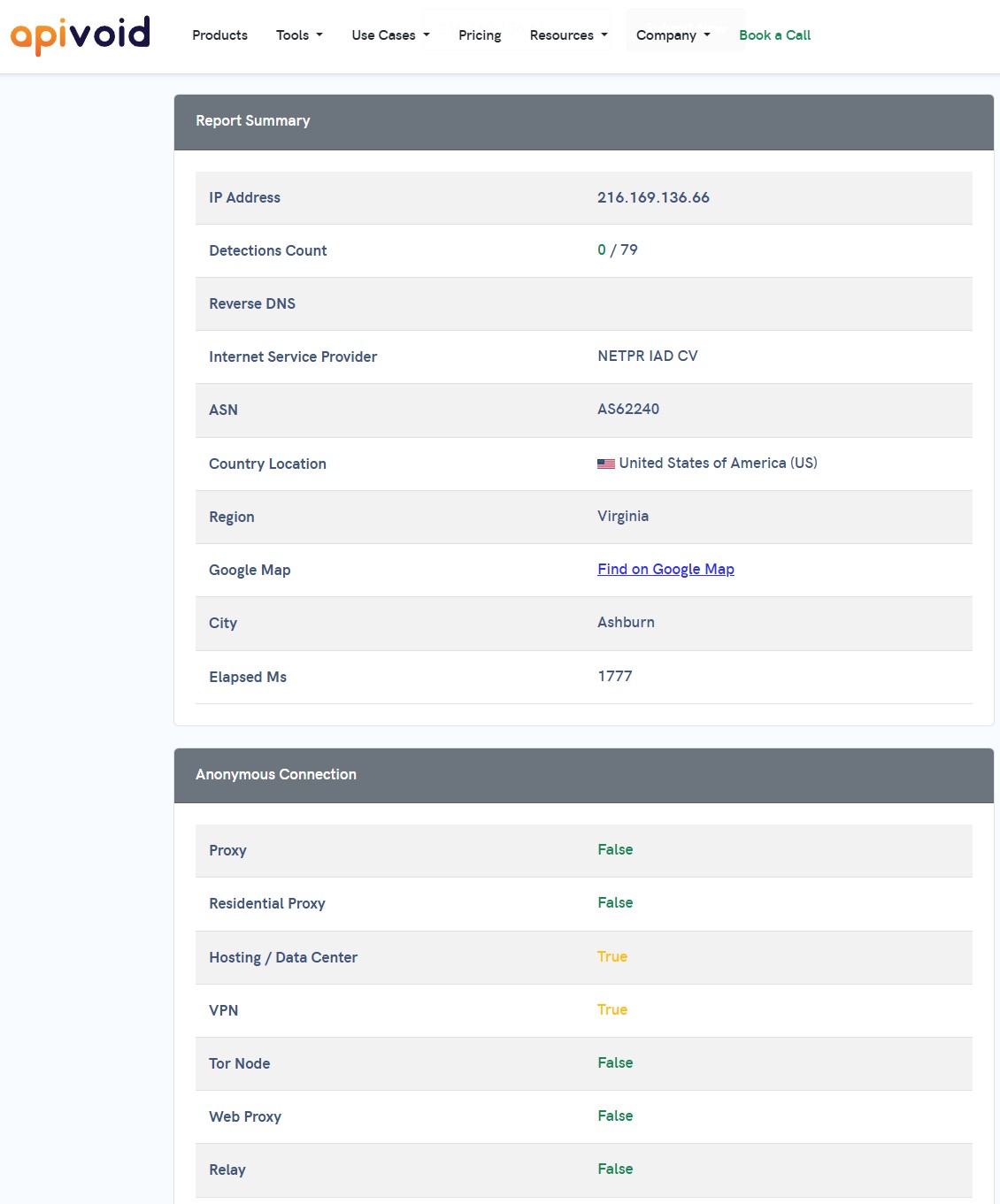
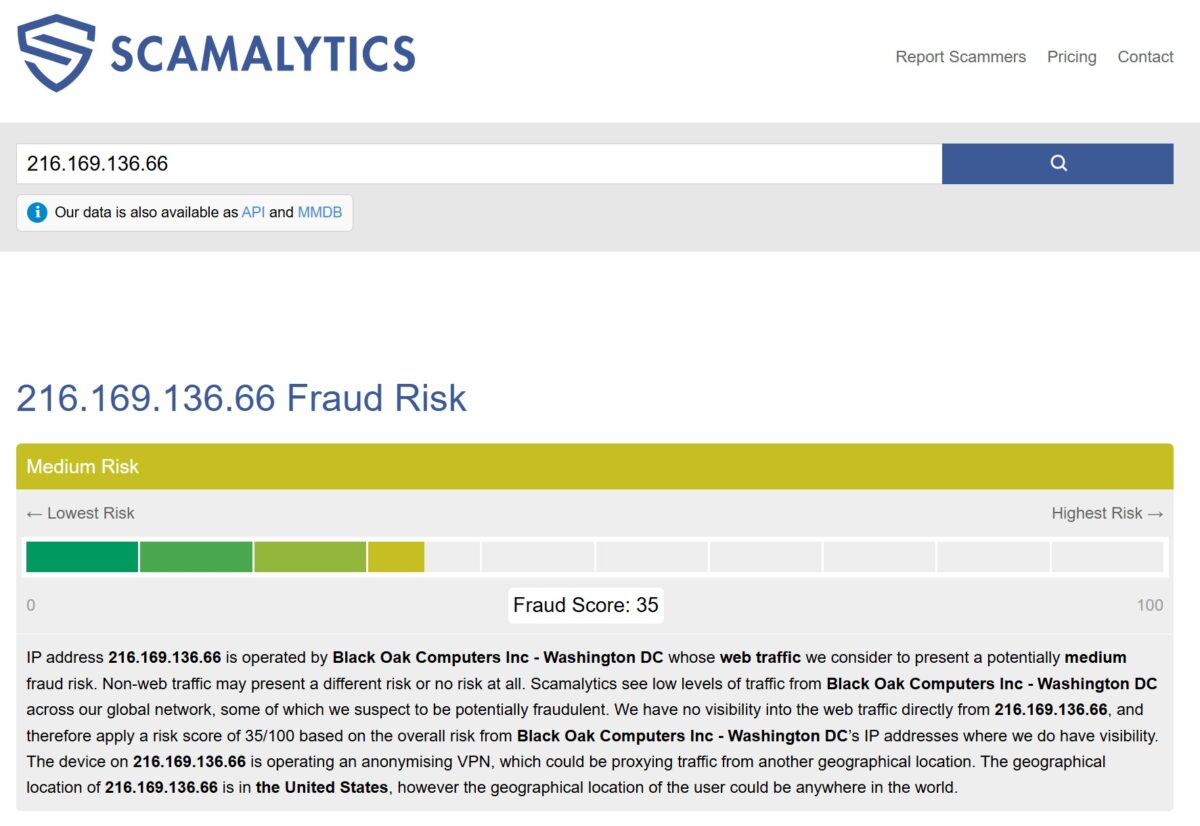
Honestly, that’s garbage. It’s exactly the scenario Thordata gets accused of on Reddit: a datacenter VPN IP wearing a residential label. I’m not saying the whole pool is like this – there were normal addresses in Byteful too. But what landed in my batch was a VPN node disguised as a home US IP. For multi-accounting, sneaker copping, or beating anti-fraud, an address like that will burn your session instantly.
Test 3. Blacklist – within market norms
Since the address reeks of hosting, I checked it against the blacklists. MXToolbox: one hit – Spamhaus ZEN, the other 60 lists clean. Pixelscan: 6 blacklists out of 50, almost all of them the Spamhaus family.
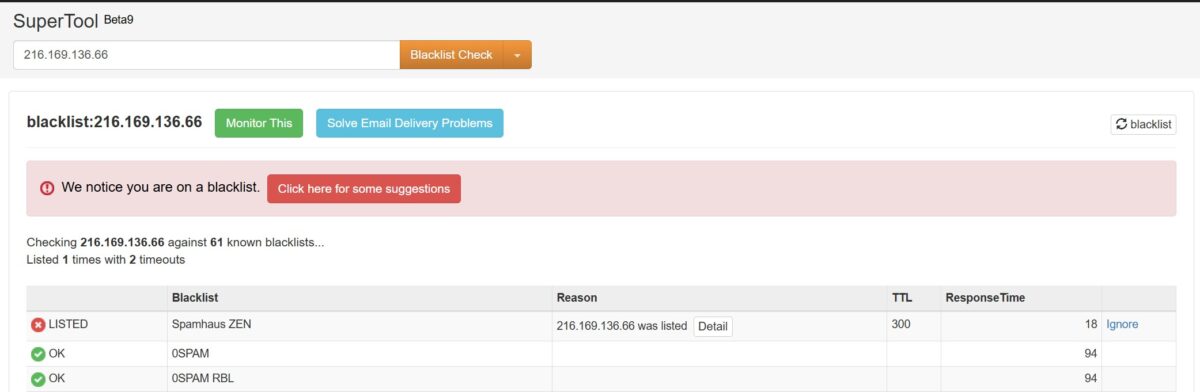
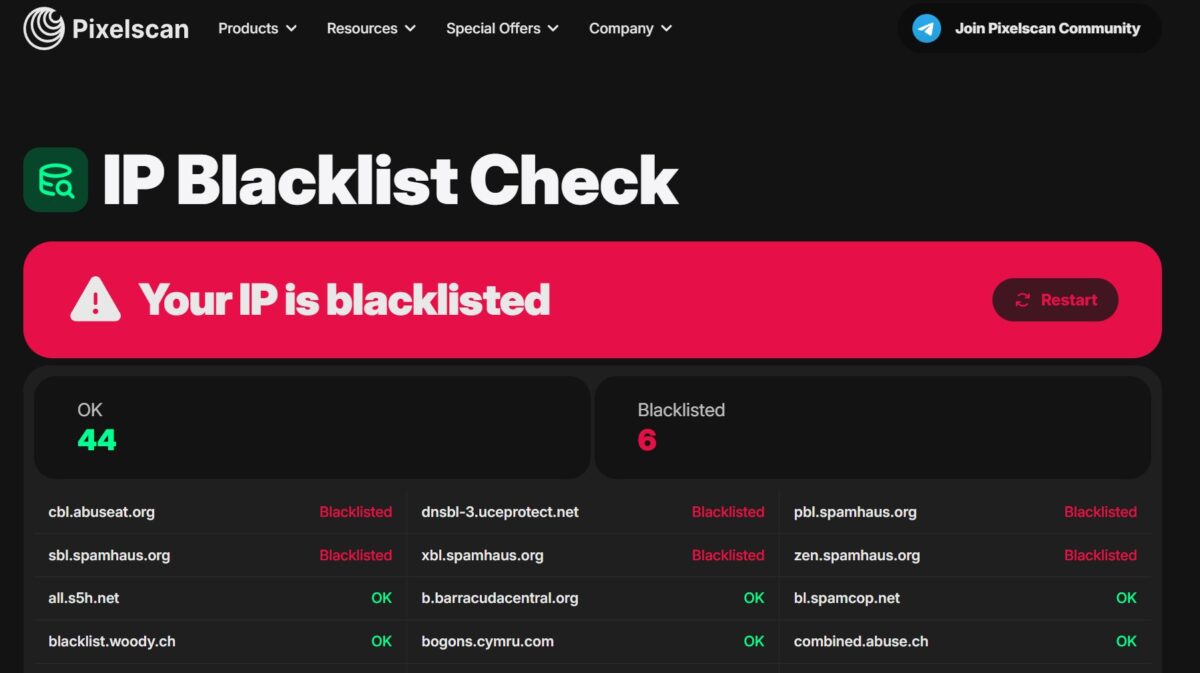
Let me be straight – no need to panic here. Six Spamhaus listings is something I catch on practically every residential service I’ve run through Pixelscan, including NodeMaven with its clean fraud score. It’s a quirk of how Spamhaus flags dynamic and ISP-owned ranges (the PBL itself is a policy list, not proof of spam), not some personal sin of Thordata’s. For web scraping and SMM, a listing like that barely matters. For email campaigns – yeah, an address on ZEN will get rejected, but nobody buys residential proxies for email blasts anyway.
So the blacklists here aren’t a crime. Thordata’s real problem isn’t them – it’s what Test 2 showed: the IP type. Moving on.
Test 4. Antidetect: the fingerprint leaked
I connected the proxy to Dolphin Anty and ran the Pixelscan Fingerprint Scan. Result: inconsistent, Timezone spoofed, Proxy detected.
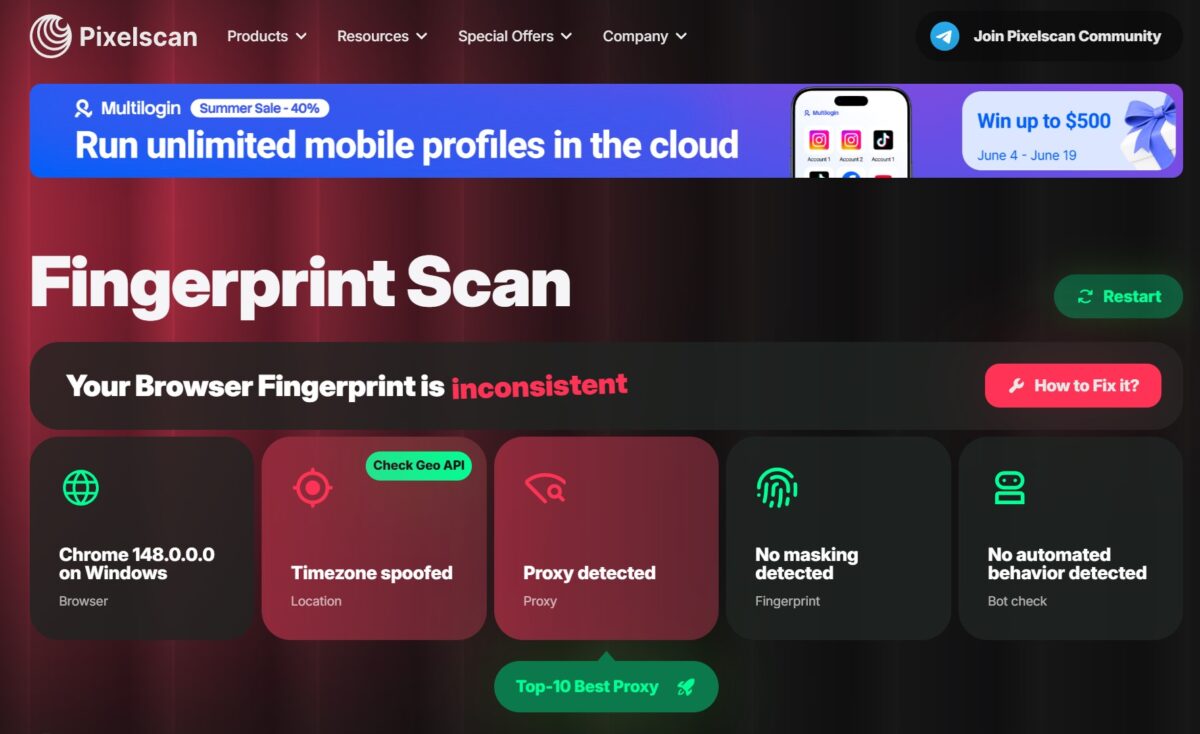
And here’s what matters – the profile was set up correctly. Timezone, Language, and Geolocation were all on Auto, the browser was supposed to pull everything to match the IP.
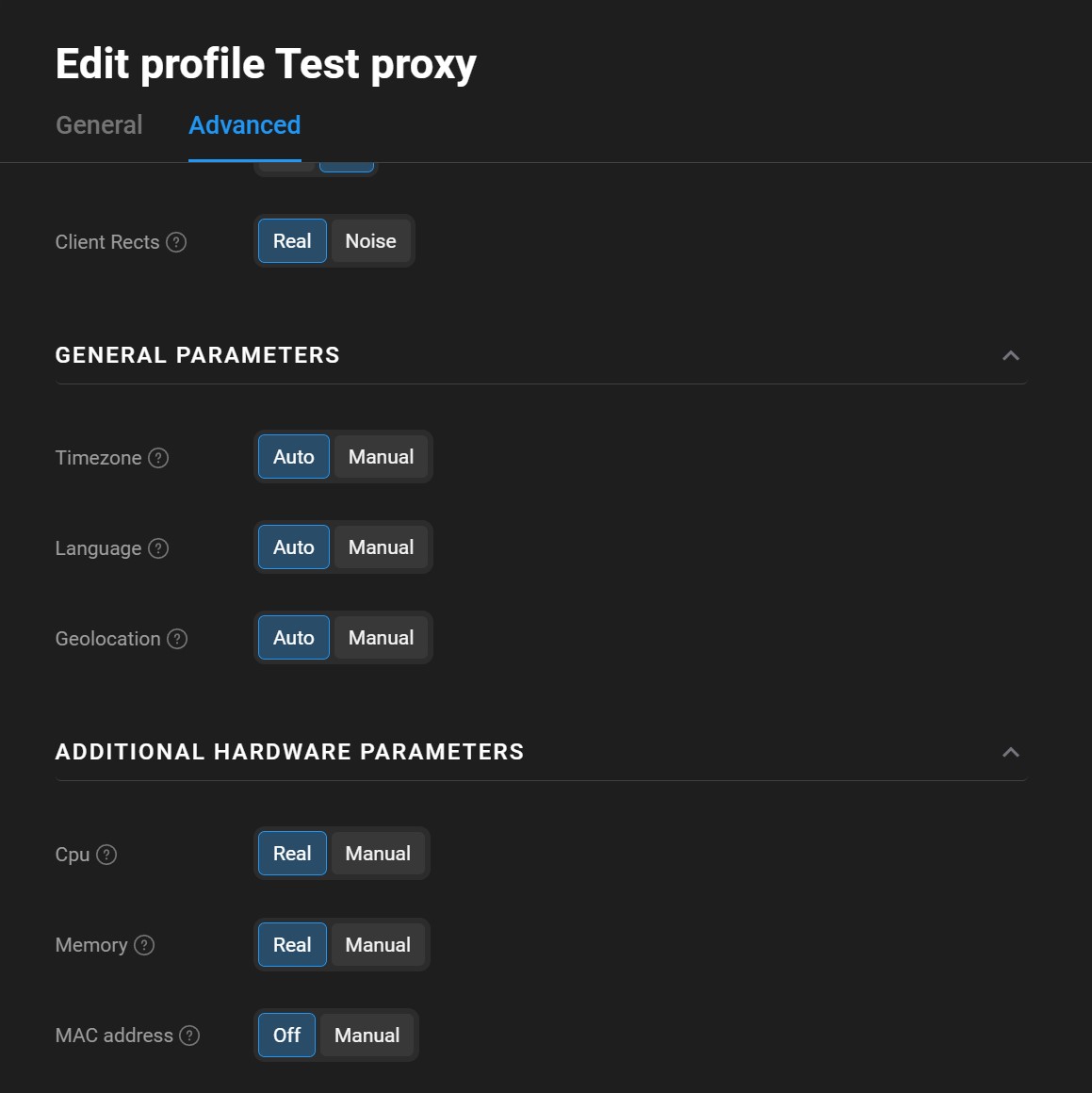
With a proper antidetect + residential setup, there should be no “spoofed” at all. Here the fingerprint fell apart. And the cause, the way I see it, is exactly Test 2: an IP with VPN markers and a bad reputation. The antidetect did its job honestly – it was the address itself that gave the game away. For comparison – in my NodeMaven review, the same Pixelscan with the same settings came back consistent. The difference is in IP quality, not in the tool.

Test 5. Speed
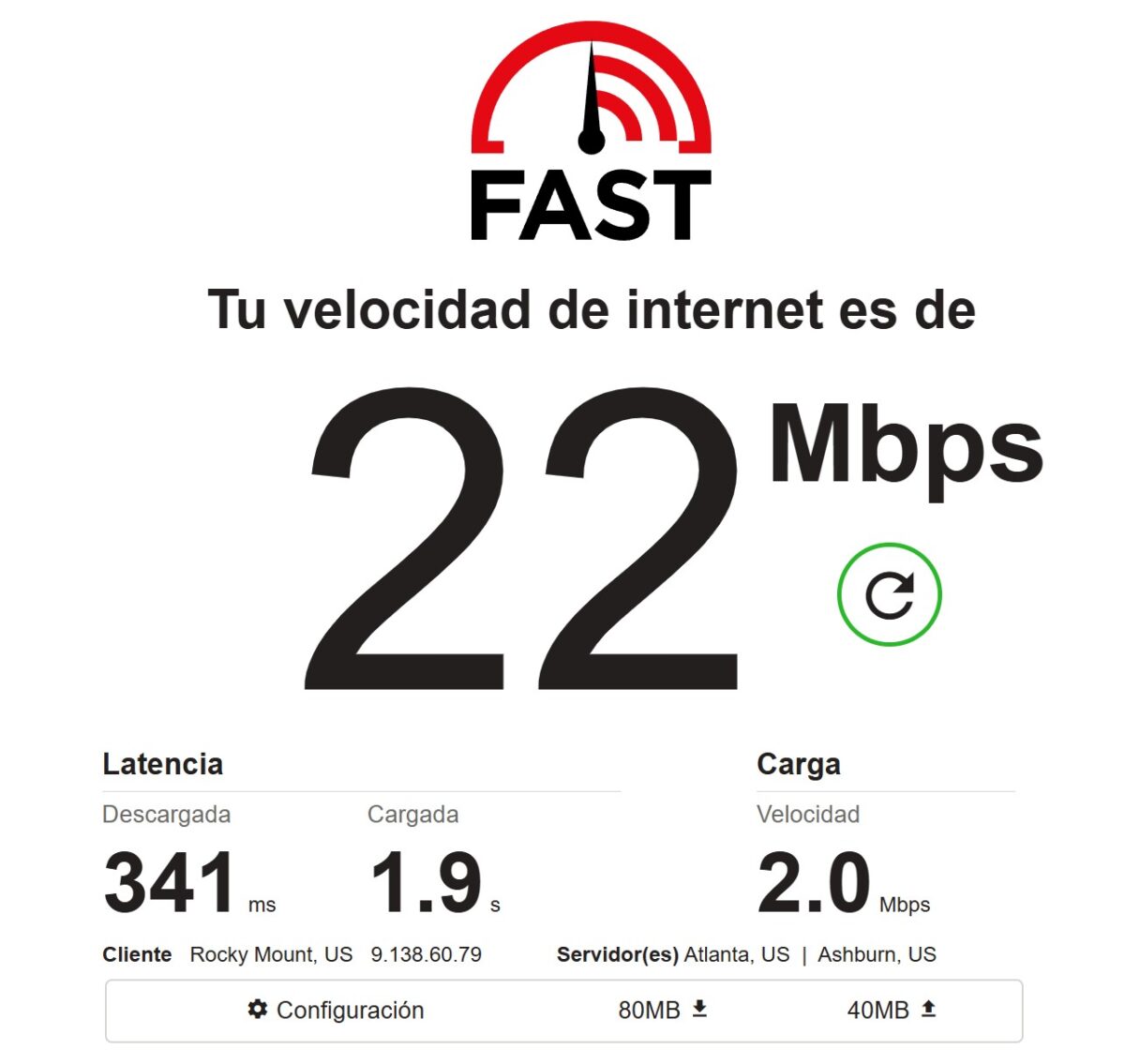
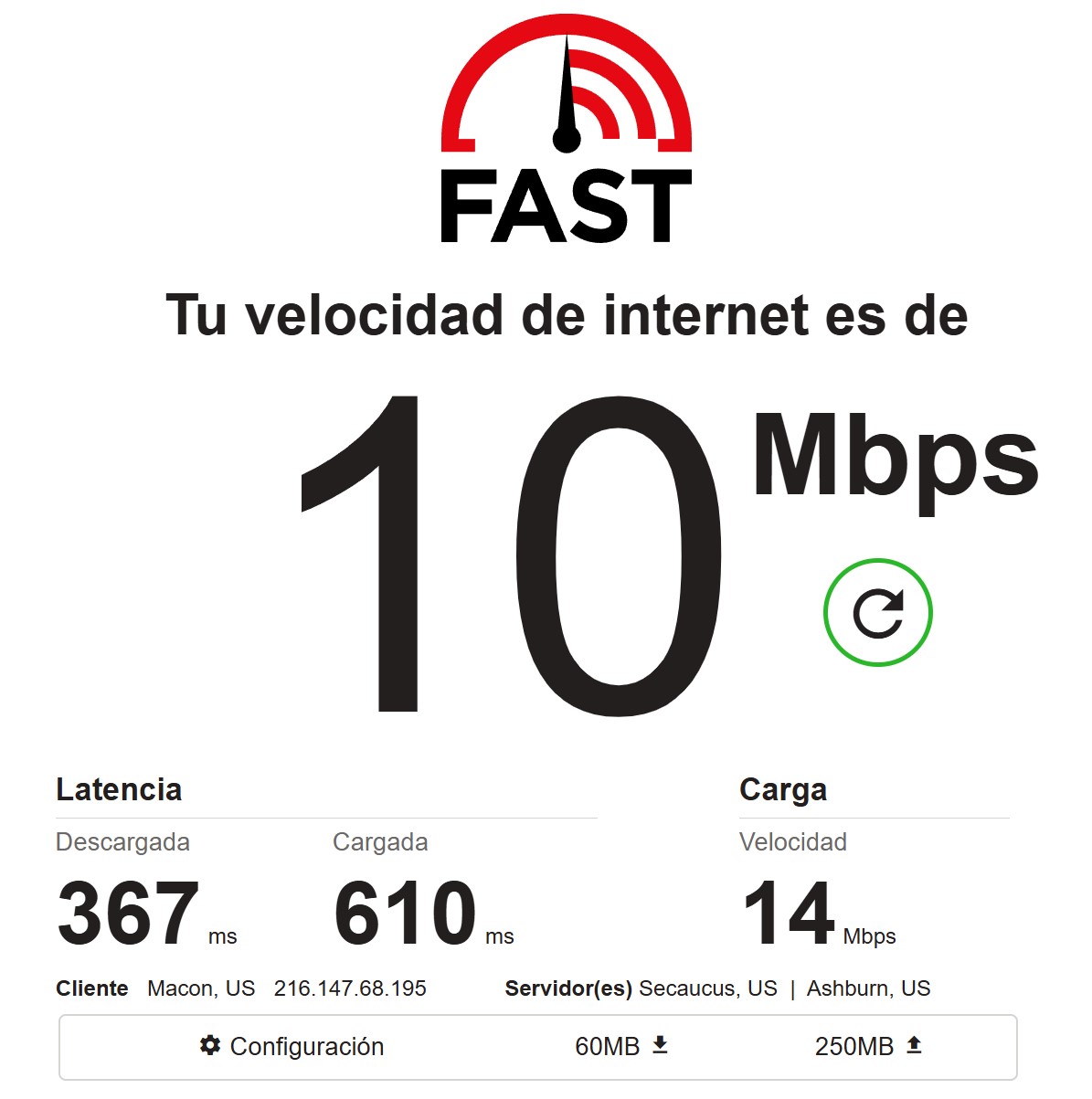
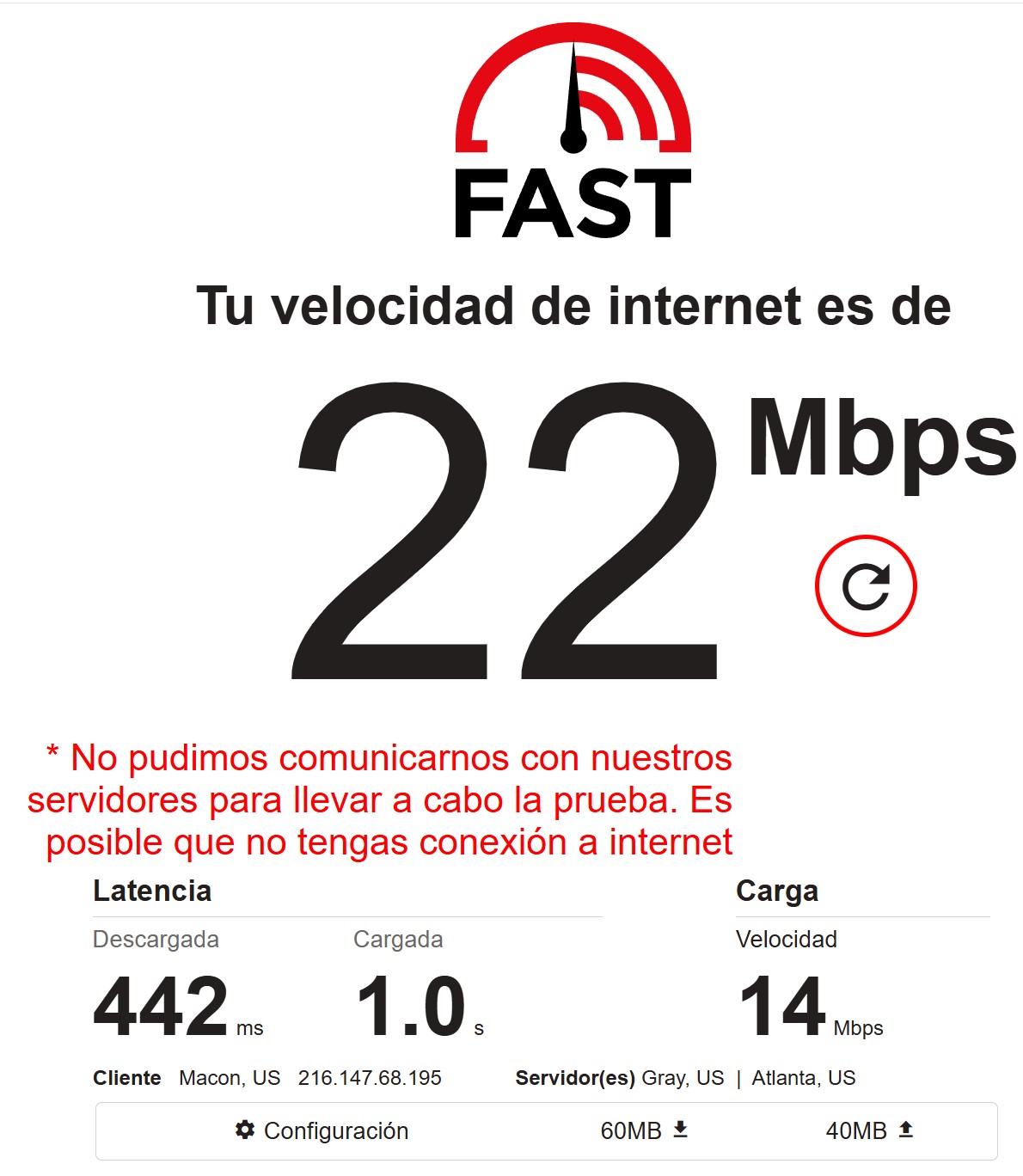
FAST.com through the proxy: 22 / 10 / 22 Mbps across three runs, latency 341-442 ms, and one run couldn’t reach the servers at all. Not much for residential, but within the normal range for home lines. The bouncing speed just confirms the pool’s instability.
Pricing: this is where Thordata really bites
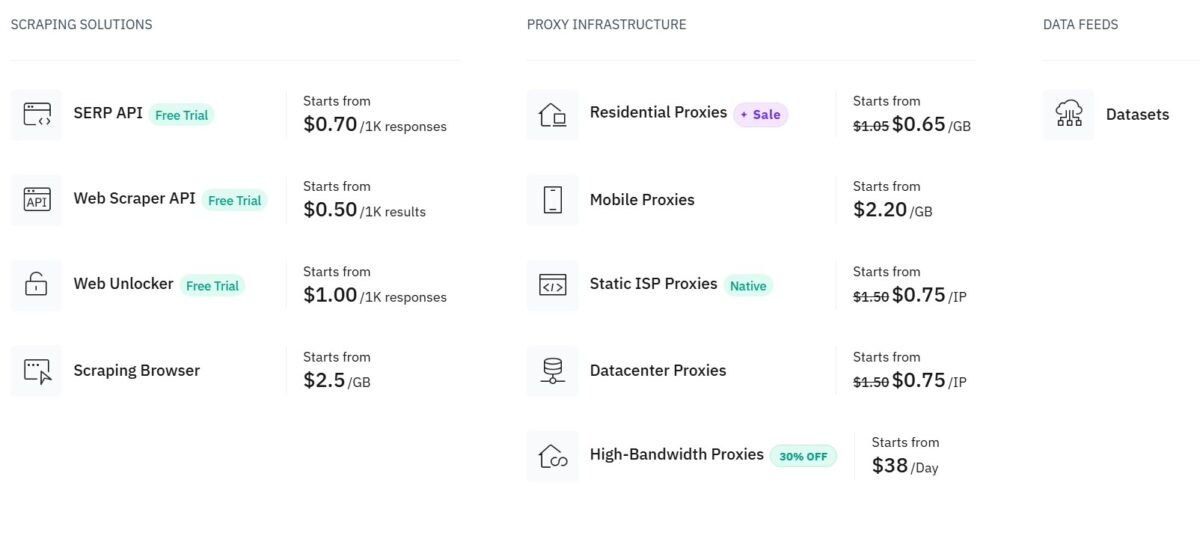
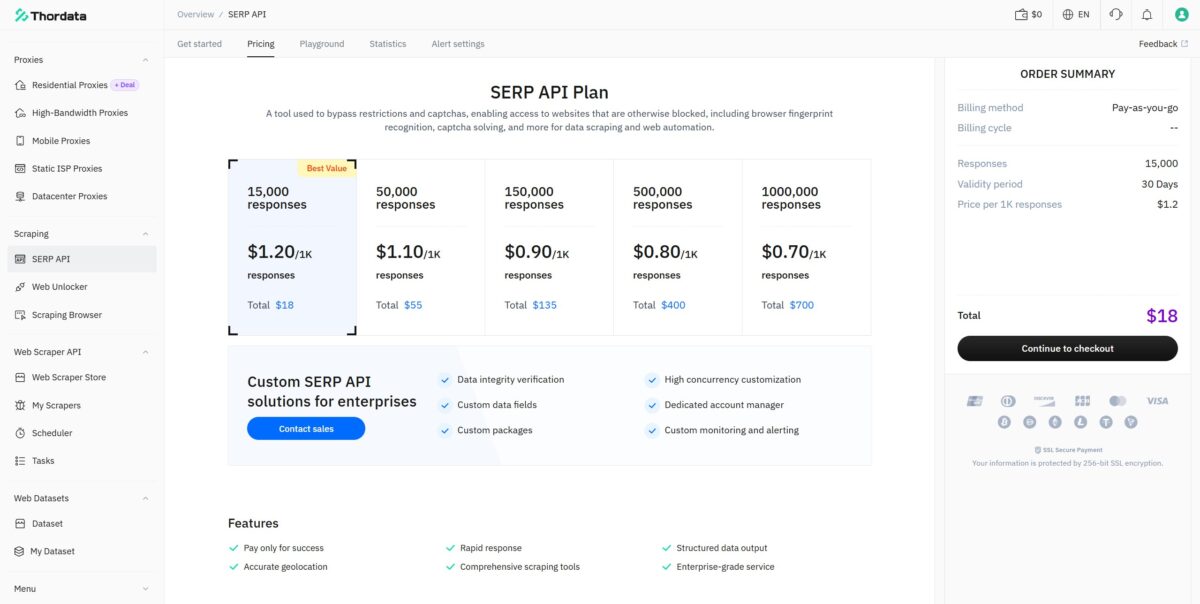
I broke pricing out separately, because it’s the service’s strongest argument. The price sheet lays out the full spread: residential from $0.65/GB (discounted from $1.05), mobile $2.20/GB, Static ISP and Datacenter at $0.75/IP, High-Bandwidth from $38/day. The scraping stack: SERP API from $0.70/1K responses, Web Scraper API from $0.50/1K, Web Unlocker from $1.00/1K, Scraping Browser from $2.5/GB. Three of the products come with a free trial.
I’ll say it plainly: $0.65 per gigabyte of residential is aggressive. Cheaper than Decodo, cheaper than Oxylabs, nearly half the price of NodeMaven. If they gave you clean residential ISP at that price, I’d be on my feet applauding. But we’ve already seen what actually shows up – and that blows up the whole economics. Cheap, sure. But you’ll still have to vet every IP yourself.
Payment methods
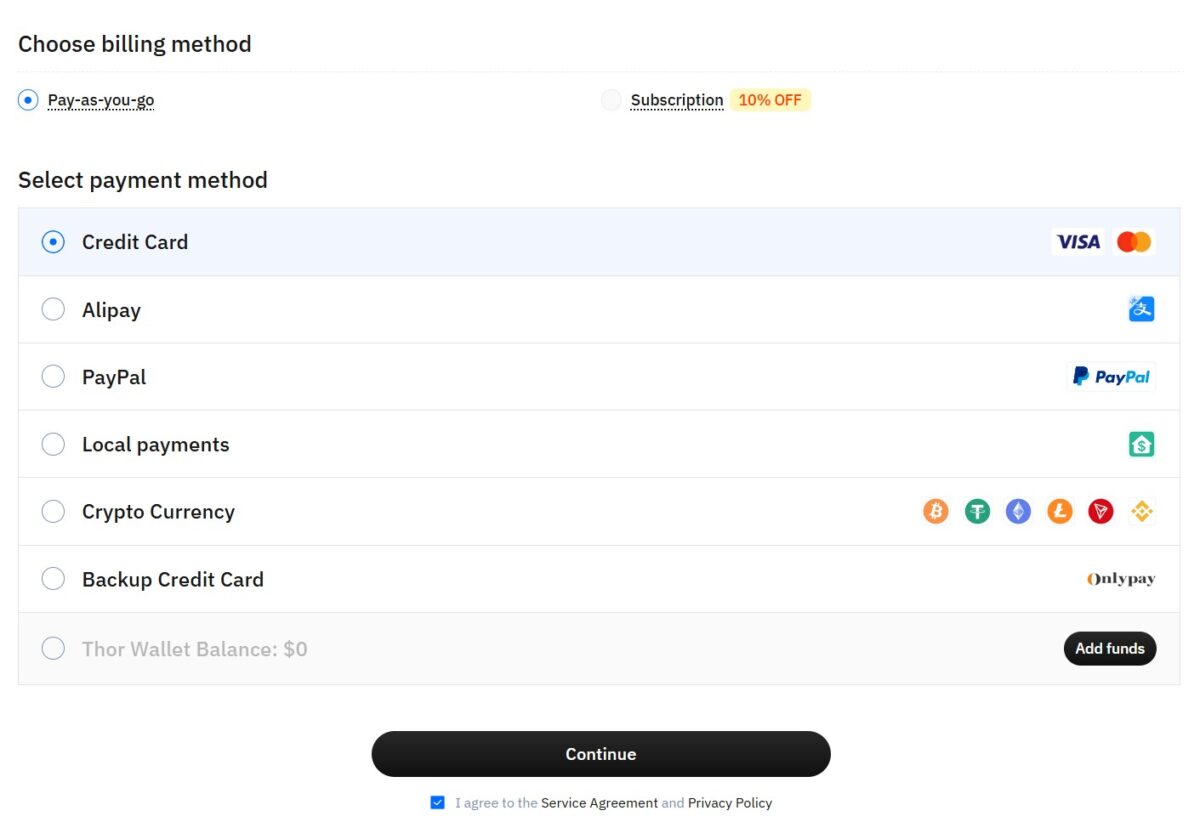
Nothing to nitpick here. You can pick Pay-as-you-go billing or a Subscription with a 10% discount. Methods: Credit Card (Visa/Mastercard), Alipay, PayPal, Local payments, Crypto (BTC, USDT, ETH, LTC, TRX and others), a backup card via Onlypay, and the internal Thor Wallet. You can pay with crypto directly – for the slice of the audience that doesn’t want to flash a card on a proxy service, that matters. No KYC required at checkout.
Statistics: transparent and to the point
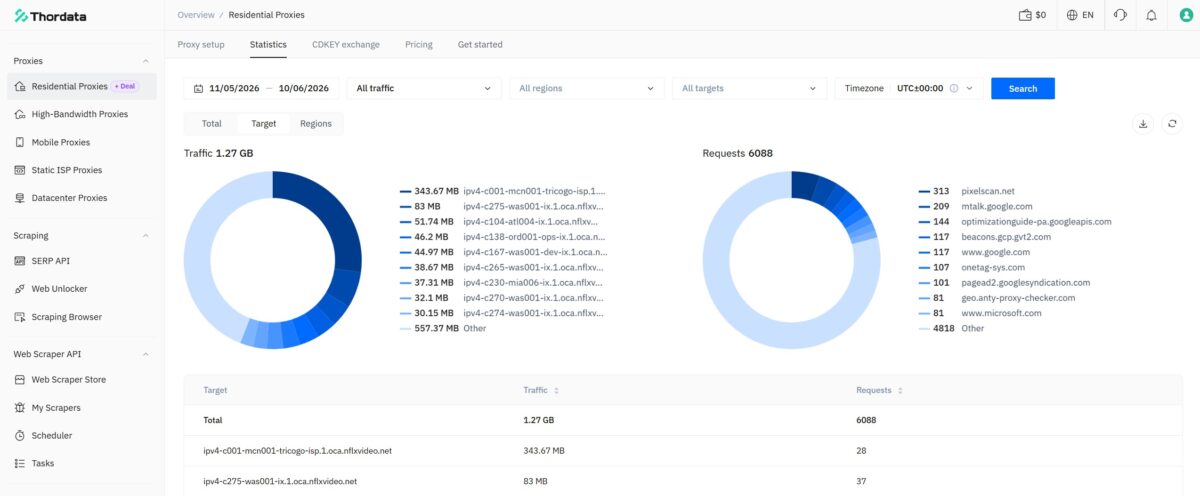
I liked the Statistics section in the dashboard. Traffic and requests are split across two ring charts – Target and Regions – with filters by date, region, and timezone. For my run I could see everything honestly: 1.27 GB of traffic, 6,088 requests, and in the domain list exactly what I’d been hitting myself – pixelscan.net, google, microsoft, plus a Netflix CDN from the tests. You can see where the traffic went, down to the megabyte. For tracking your spend – handy, no black boxes.
Documentation and API
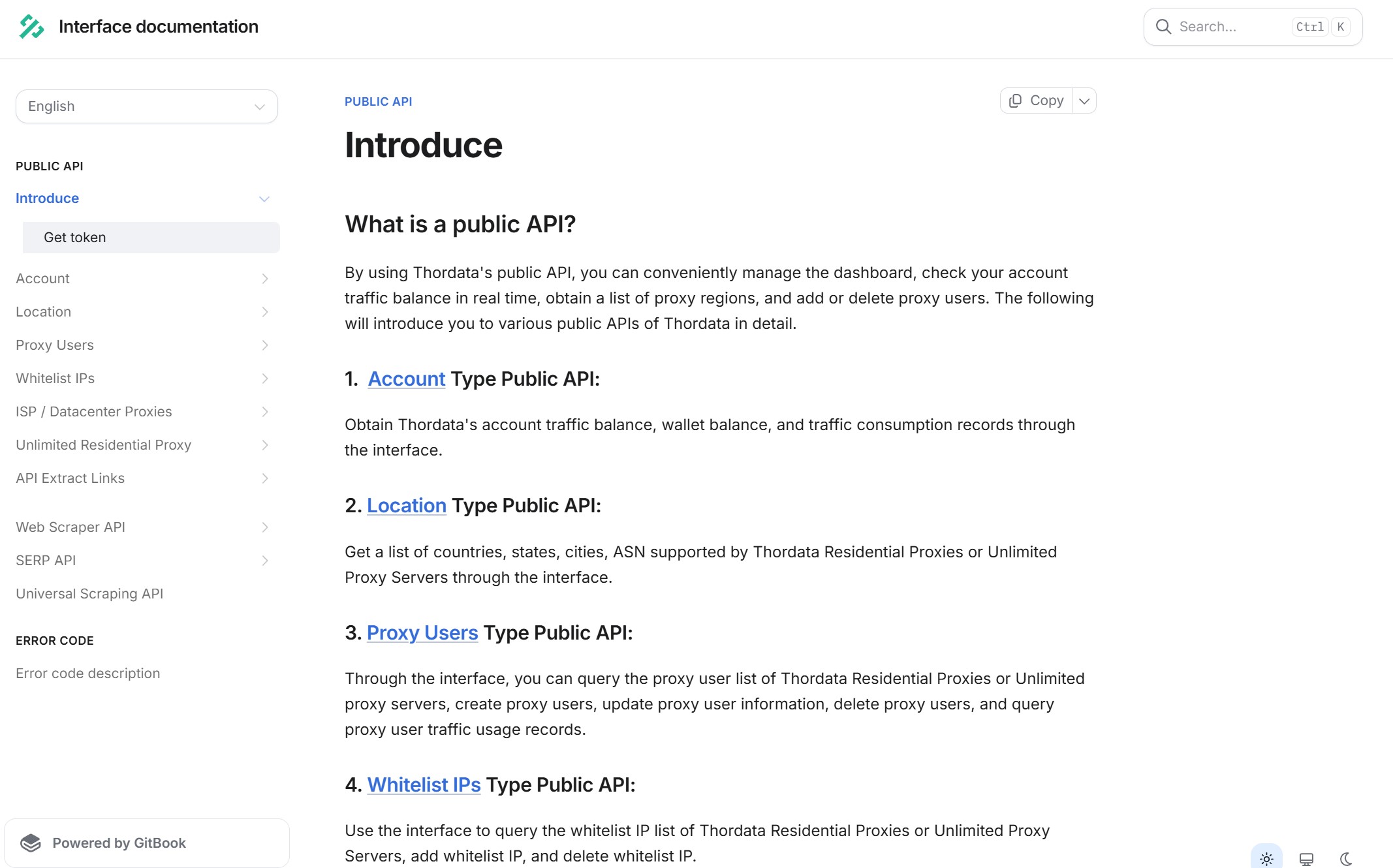
The documentation is thorough and well structured – a GitBook with sections for the Public API (Account, Location, Proxy Users, Whitelist IPs, ISP/Datacenter, Unlimited Residential), Web Scraper API, SERP API, Universal Scraping API, and a rundown of error codes. There’s Get token, request examples, and SDKs for the major languages. For a developer who wants to manage their balance, users, and whitelist through the API, it’s all there. Thordata doesn’t cut corners here.
What else is on offer (briefly – the details are in the screenshots)
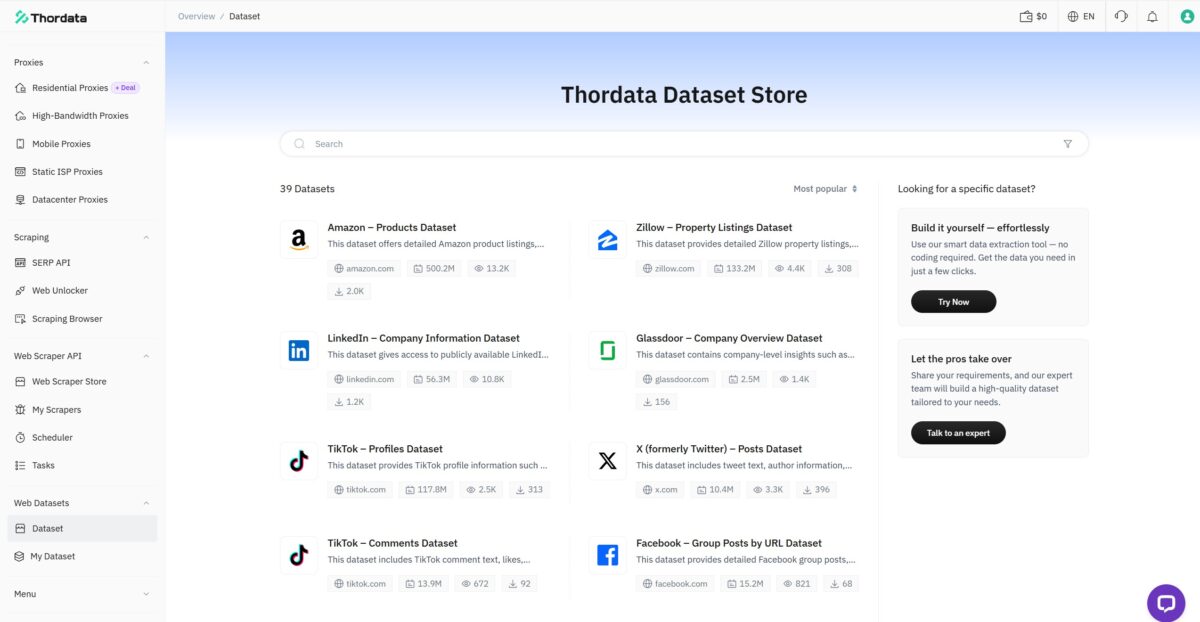
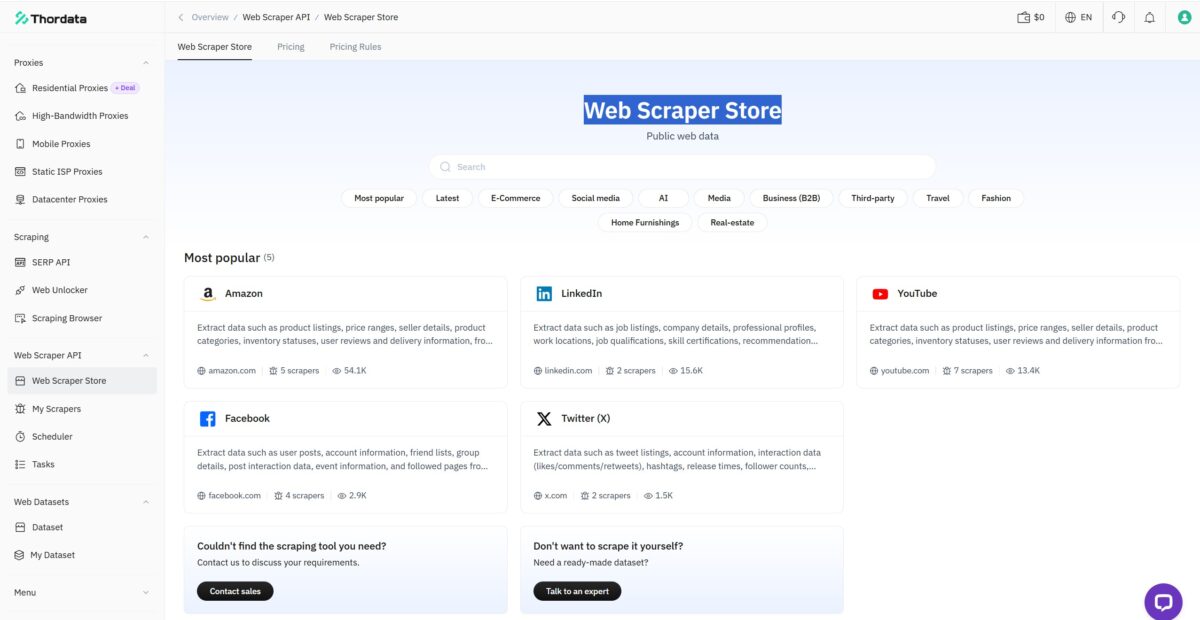
The product lineup is broad, and that’s an objective plus. SERP API from $0.70/1K, Web Unlocker from $1.00/1K, Scraping Browser from $2.5/GB, ready-made scrapers for Amazon/LinkedIn/Reddit, a Dataset Store with 39 datasets. Billing is flexible, crypto accepted. All of it covers a pile of tasks without having to “assemble a stack” out of four vendors.
Reputation: the one awkward part
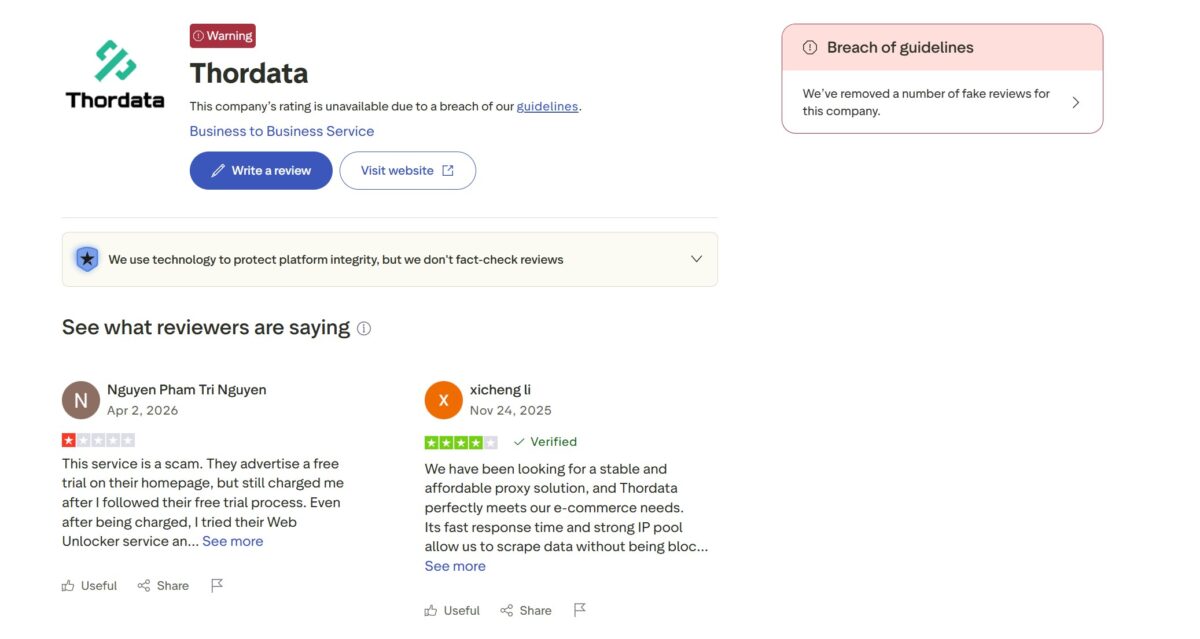
Remember those G2 ratings on the storefront? Now here are the facts. At some point Trustpilot blocked Thordata’s rating for breaking the rules – which is what happens when reviews get gamed. Against a backdrop of cookie-cutter positive reviews, that smells like astroturfing.
Comparison with competitors
To keep the score honest, I’m putting Thordata side by side with the ones I’ve already tested using the same method.
| Parameter | Thordata | NodeMaven | Oxylabs | SX.ORG |
|---|---|---|---|---|
| Type | Residential | Residential | Datacenter (free) | Residential |
| IP pool | 100M (claimed) | 30M+ | 100M+ | 12M+ |
| Residential price | $0.65-$2.00/GB | $3.50/GB | $8/GB | $3/GB |
| Latency | 1589-1800 ms | 175-182 ms | 258 ms | 227-998 ms |
| Fraud Score (IP2Location) | 99/100 | 36/100 | 50-100 | 90/100 |
| Proxy type (test IP) | VPN/Hosting (Clouvider) | Residential ISP | Corporate/Hosting | Data Center (3xK Tech) |
| Blacklist | 6 (Spamhaus) | 1/61 | Spamhaus ZEN | 5/61 |
| Pixelscan | inconsistent, proxy detected | consistent, clean | detected | detected |
| Proxyway 2025 benchmark | no | no | yes, leader | no |
| Certifications | in progress | – | ISO+SOC | – |
The picture reads itself. On IP cleanliness, Thordata sits closer in this lineup to SX (also a datacenter VPN dressed up as residential) than to NodeMaven, where the fraud score was 0 and Pixelscan stayed quiet. Thordata’s price is the best in the table – but for it you get a lottery on the IP type. If you need real residential – look toward NodeMaven. If you need enterprise with certifications – Oxylabs.
Test summary table
| What I tested | Result | Score |
|---|---|---|
| Download speed (FAST) | 10-22 Mbps | 3/5 |
| Latency (FOGLDN+Byteful) | 1589-1800 ms | 2/5 |
| Connection success rate | high (without ASN) | 4/5 |
| ASN targeting | doesn’t work | 1/5 |
| IP Quality (Fraud Score) | 99/100 | 1/5 |
| ISP Type (test IP) | VPN/Hosting (Clouvider) | 1/5 |
| Blacklist | 6 Spamhaus lists (market norm) | 4/5 |
| Geo Detection | real US cities | 5/5 |
| Pixelscan Fingerprint | inconsistent | 2/5 |
| UX / interface | a platform, convenient | 5/5 |
| Product lineup | very broad | 5/5 |
| Price | from $0.65/GB | 5/5 |
| Payment methods | card, PayPal, crypto, no KYC | 5/5 |
| Documentation / API | thorough GitBook, SDKs | 5/5 |
| Dashboard statistics | transparent, down to the MB | 5/5 |
| Support | fast, to the point | 4/5 |
| Reputation (Trustpilot/benchmarks) | rating banned, absent from Proxyway | 2/5 |
Final score: 3.5 / 5
- broad platform under one roof – residential, ISP, mobile, datacenter, SERP API, Web Unlocker, Scraping Browser, and ready-made datasets;
- cheapest traffic in my table – from $0.65/GB at volume;
- convenient dashboard and a human onboarding, the endpoint builder is smartly done;
- support answers fast and to the point, fixed the ASN issue in a minute;
- exit IP geography is real – live US towns (New Haven, Vanceboro, Salem), and you do run into proper home subnets in the pool;
- flexible billing, crypto accepted (BTC, USDT, ETH and others), no KYC;
- the Ashburn geolocation reads correctly across all the checking services.
- the test exit IP turned out to be an IPVanish VPN node on Clouvider hosting (AS62240), not a home address;
- Fraud Score 99 out of 100 on IP2Location – the ceiling of risk for a checked IP;
- ASN targeting on a real ISP doesn’t work – there aren’t enough addresses in the pool, the session won’t assemble;
- speed is consistently slow, ~1589-1800 ms across two independent testers (FOGLDN and Byteful);
- Pixelscan reports Proxy detected, fingerprint inconsistent with a properly configured antidetect profile;
- four out of five tools classify the IP as Hosting + VPN, not residential ISP;
- Trustpilot banned the company’s rating, and the success-rate figures suspiciously match Oxylabs;
- no SOC 2 / ISO 27001 certifications – per the company, “in progress.”
Who it’s for
A good fit for: experienced scraping engineers who know how to filter IPs themselves before getting to work and who care about per-GB price at volume. For anyone who wants SERP API + datasets + a browser in a single window.
Not a fit for: multi-accounting and sneaker copping, where IP cleanliness is critical – there, a VPN node masquerading as residential will kill your session. Enterprises that need certifications right now (→ Oxylabs). Anyone who wants real residential with a zero fraud score (→ NodeMaven).
My takeaway
Thordata leaves a mixed impression. As a platform – well done: convenient, cheap, everything at hand, support that’s alive. But I was called in to check the one thing that matters – the quality of the residential pool. And there, by my tests, the service didn’t pass. When what shows up under the guise of a home US IP is an IPVanish VPN node on Clouvider hosting with a fraud score of 99 and six blacklists – that’s not the residential you should be paying for, not even at $0.65.
I’m not claiming the entire pool is junk – there are normal addresses in it, I saw them. But a “lottery” on the IP type is a no-go for serious tasks. You can use it if you’re a grown-up engineer who vets every IP yourself. For everyone else, the risks outweigh the savings.
This review isn’t final, I’ll keep adding to it. Logs and screenshots for all the tests are saved – message me and I’ll show you.
Targeting down to city and ASN, sticky sessions up to 90 minutes
Residential traffic from $0.65/GB
residential, mobile, ISP, datacenter + SERP API, Web Unlocker, Scraping Browser