





 Why Trust Us?
ToProxyLab has been testing proxy services since 2025. We pay for most plans ourselves, and when a provider gives us test traffic we say so in the review — free traffic buys a place in the testing queue, nothing else. Every provider goes through the same speed, uptime and fraud-score checks, and we publish the real numbers, including the bad ones. A rating cannot be bought. Learn who we are and how we review proxies.
Why Trust Us?
ToProxyLab has been testing proxy services since 2025. We pay for most plans ourselves, and when a provider gives us test traffic we say so in the review — free traffic buys a place in the testing queue, nothing else. Every provider goes through the same speed, uptime and fraud-score checks, and we publish the real numbers, including the bad ones. A rating cannot be bought. Learn who we are and how we review proxies.
The proxy market? It’s a total minefield. One day you’re buying “elite residential” IPs, the next day Facebook is slapping you with a selfie check because five thousand bots fried that IP before you even touched it. I’ve tried it all—from rigging up my own farms on iProxy to dropping serious cash on expensive Bright Data packages.
The proxy market? It’s a total minefield. One day you’re buying “elite residential” IPs, the next day Facebook is slapping you with a selfie check because five thousand bots fried that IP before you even touched it. I’ve tried it all—from rigging up my own farms on iProxy to dropping serious cash on expensive Bright Data packages.
Today, we’re tearing into MobileProxy.Space
They claim to have 170 million IPs, real modems (zero emulation), and unlimited bandwidth. Sounds sweet. But how does it actually run? I shoved their proxies into Dolphin{anty}, hammered them with a hundred threads in ZennoPoster, and I’m ready to tell you where this service kills it and where it just straight-up sucks.
No fluff. Just tests, numbers, and the pure pain of being an affiliate marketer.
The Verdict for the Lazy
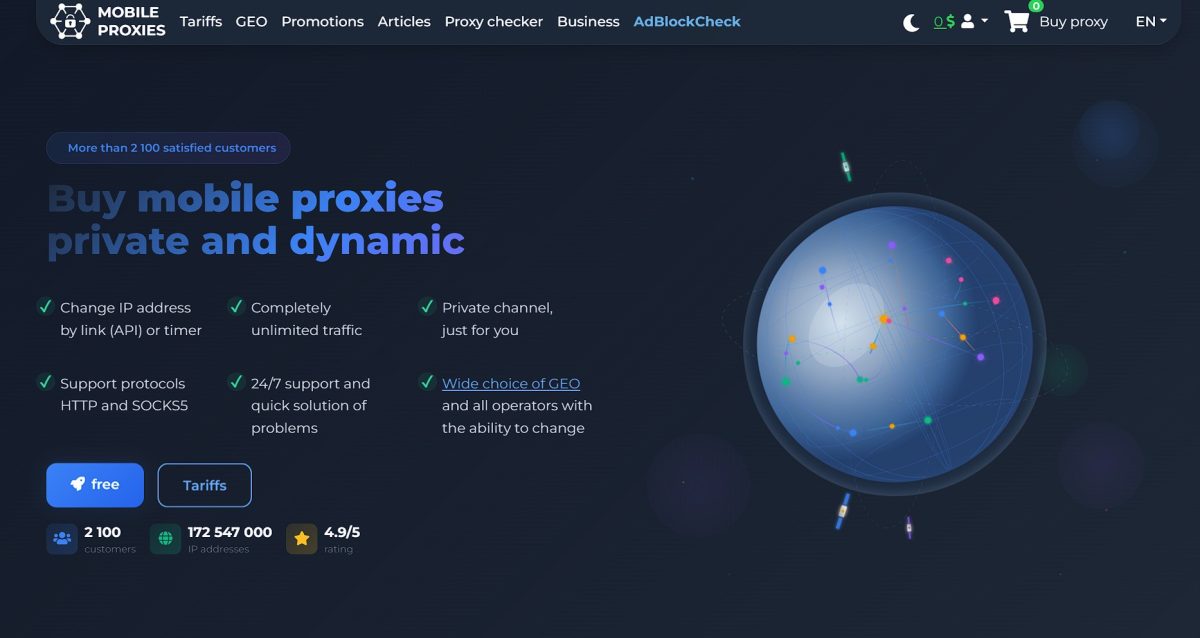
TL;DR: This is a private pipe, not a dorm room. You’re renting a specific port on a physical modem. The whole channel is yours. No “neighbors” spamming Instagram right alongside you.
Who should grab this:
- Affiliates (FB/TT/Google): Trust score is insane. Moderation slides through like butter.
- Scrapers: Unlimited traffic is the killer feature here. Download terabytes if you want.
- Account Farmers: Huge pool of dynamic IPs via modem reboot.
Who should walk away:
- People who need 1000 different IPs simultaneously for 1 minute (this is channel rental model, not pay-per-IP).
- People looking for 1 ms ping (it’s a mobile network, you can’t cheat physics).
- Private channel: you’re alone on the port;
- Unlimited traffic: absolutely no FUP;
- Dual stack: HTTP and SOCKS5 on one port;
- Geo: 40+ countries, including some exotic ones.
- Price: A bit steep for Tier-1 countries (USA, Australia);
- Rotation: Takes 10-15 sec (connection drop);
- Speed: Fluctuates based on tower load (3-30 Mbps);
- Interface: Functional, but definitely not “sexy”.
What’s under the hood? The tech specs
Main thing newbies need to get: these are not server proxies.
MobileProxy.Space uses CGNAT (Carrier-Grade NAT) technology. Simply put: mobile carriers (Verizon, Vodafone, T-Mobile) hand out one external IP to thousands of real subscribers. Facebook or Google physically can’t ban that IP, otherwise, they’d cut off access to a whole city block. It’s called “herd immunity.”
Proxy Type
They use a farm of real devices here (USB modems/smartphones in racks). No virtualization crap. When systems check your Passive OS Fingerprint (operating system fingerprint via TCP/IP), they see a real Android or iOS, not a Linux server. To anti-fraud bots, you look like just some guy on the subway with his phone.
Protocols and Ports
Huge props for the implementation. Two protocols run on a single port simultaneously:
- HTTP(S) — for browsers and light software.
- SOCKS5 — supports UDP. This is critical. If your proxy can’t handle UDP, WebRTC will leak, and you’ll get burned. Everything’s solid here.
Targeting
The depth of settings is surprising. Usually, resellers only let you pick a country. Here you can choose:
- Country (40+ options).
- City (e.g., not just Russia, but specifically Samara or Moscow).
- Carrier (Megafon, Beeline, Yota, Vodafone, AT&T).
Tip: If FB triggers on a Tele2 subnet, just switch to Megafon in the same dashboard. Saves your setups.
Rotation (Changing IP)
This is the heart of the service. Two ways to play it:
- Timer: Set auto-change every 2 minutes (minimum) or once a day. Perfect for scraping.
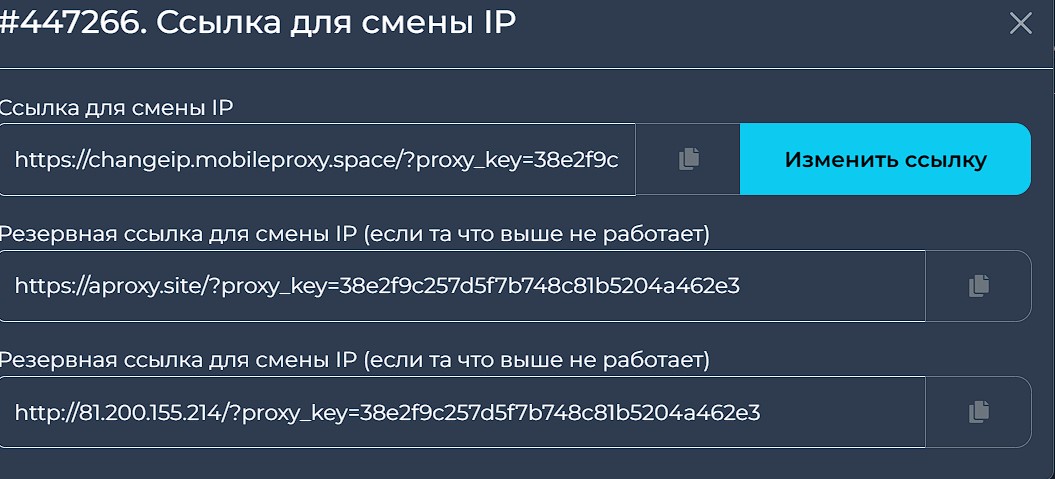
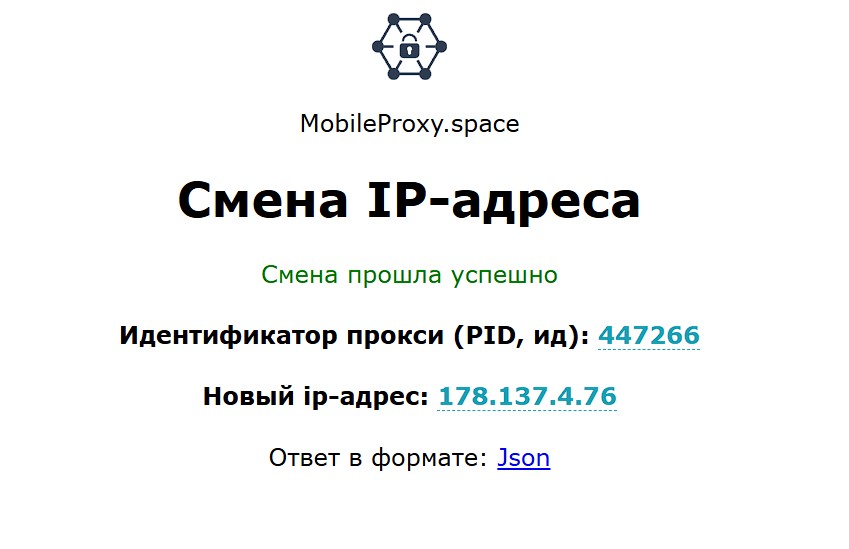
- By link (API): My favorite option. Got an Action Block? Hit the API link — 10 seconds later you have a fresh clean IP from the same region.
Practical Test Drive & Crash Test
Enough theory. I grabbed proxies for Poland (Play) and Kazakhstan (Beeline) and put them through hell.
Speed and Jitter Test
Mobile proxies will never fly like fiber optics. That’s a fact. Measurement via built-in SpeedMeter (yeah, they have their own checker to rule out your home internet messing things up):
- Ping: 235-233 ms (pretty high).
- Download: Jumped from 4 to 8.45 Mbps (very weak).
- Upload: ~10-22.48 Mbps (not bad, but the other stats killed the first impression).
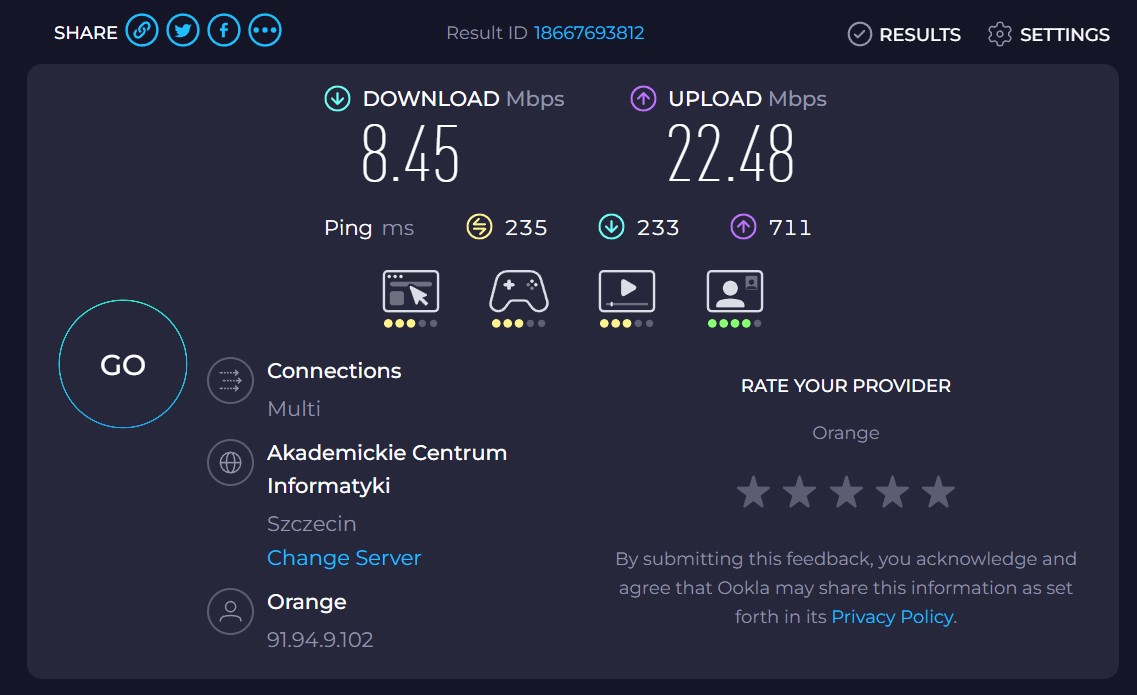
Might not be enough for 4K streaming, but for multi-accounting up to 10 AdsPower profiles? Plenty. Videos in the TikTok feed load without freezing.
Checking for “Sketchiness” (Fraud Score)
Ran the IPs through iphey.com and pixelscan.net.
- Result: Green checks.
- DNS Leak: None. DNS is pulled from the operator (matches the proxy GEO).
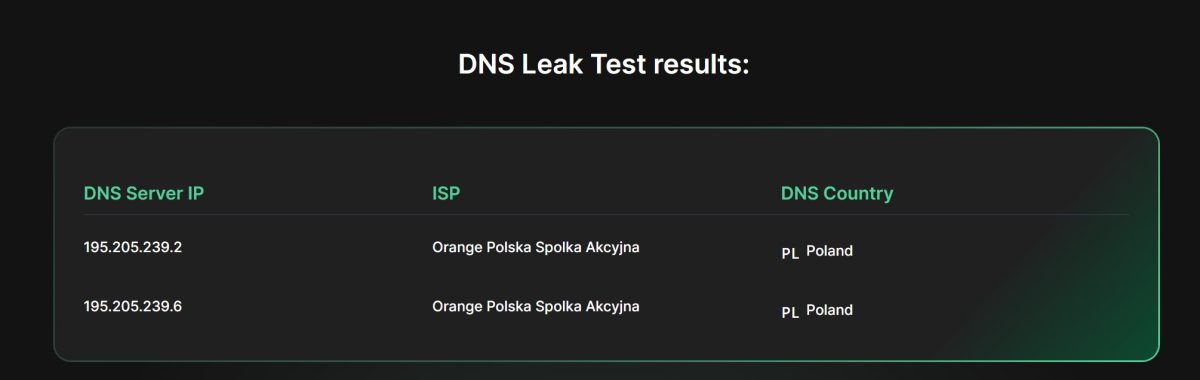
- WebRTC: Local IP isn’t exposed.
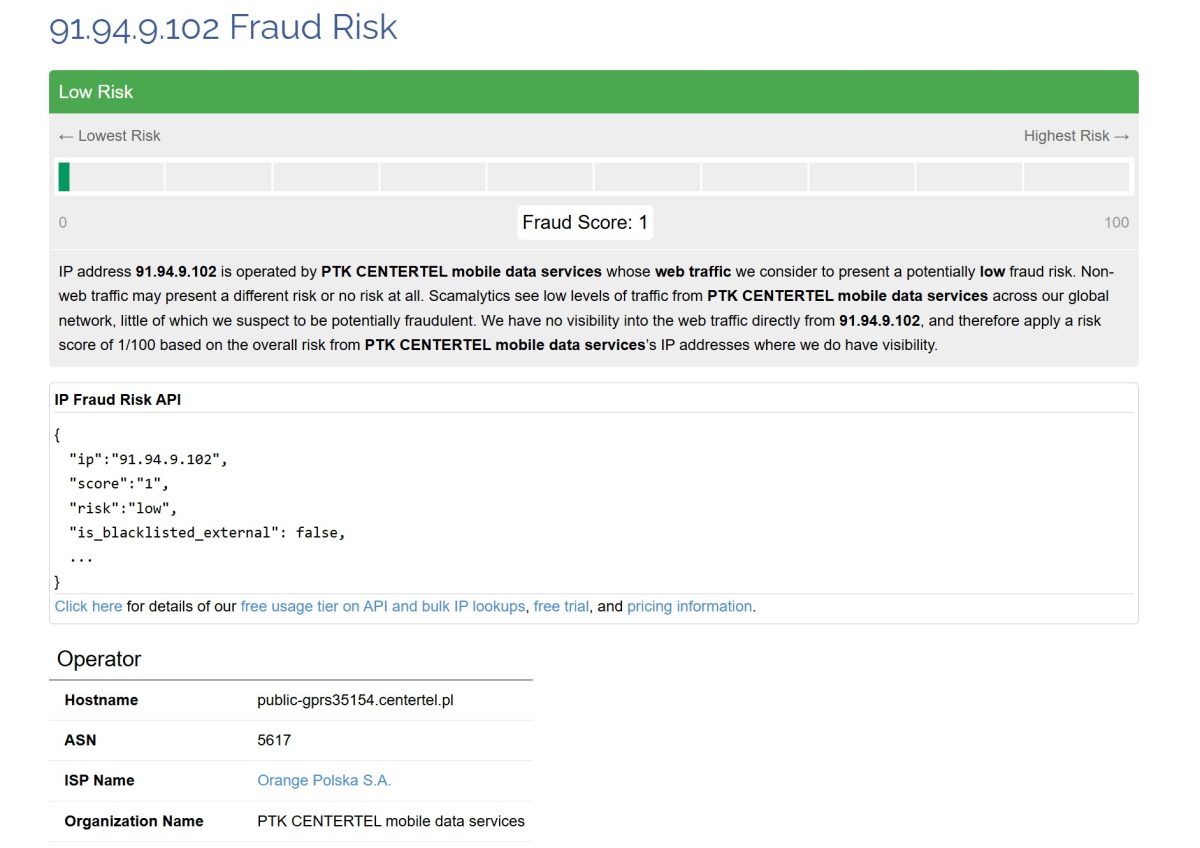
Sites see me as a mobile internet user from Warsaw. Trust Score is high. Scamlytics showed a risk of 1/100 (very low), which is an excellent result for a dynamic pool.
STRESS TEST (Exclusive)
I fired up ZennoPoster with 100 threads through one port (Kazakhstan). Task: scraping heavy Amazon pages.
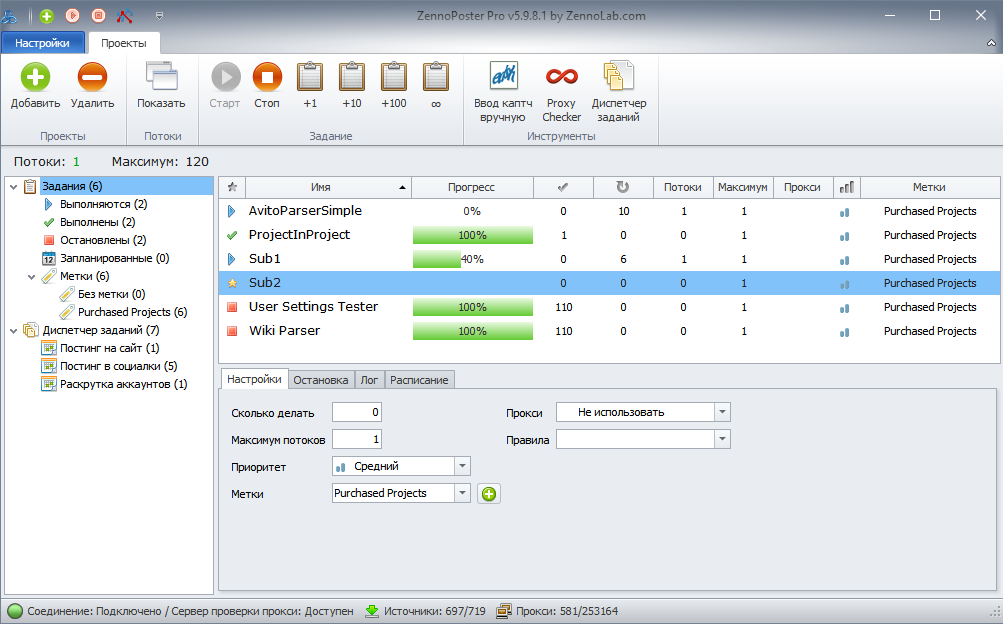
- What happened: Speed tanked to 3 Mbps. The modem started heating up (I can’t see it, but I can feel the lag).
- Did the proxy crash? No. It handled 250 simultaneous connections (official limit).
- Nuance: During IP rotation (modem reboot), the channel goes into a “blackout” for 8-12 seconds. During this time, the software throws connection errors.
Conclusion: if you write templates, definitely add a pause/wait loop for IP changes. Otherwise, the software will start spitting out exceptions.
Usability: Dashboard and Tools
Their dashboard is spartan. No fancy graphs, no flying animations. Just a gritty table list.
But the functionality? Respect:
- Change auth on the fly: Want login/password? Cool. Want IP binding (IP Whitelist)? Also cool. The latter is handy if your software sucks at authorization.
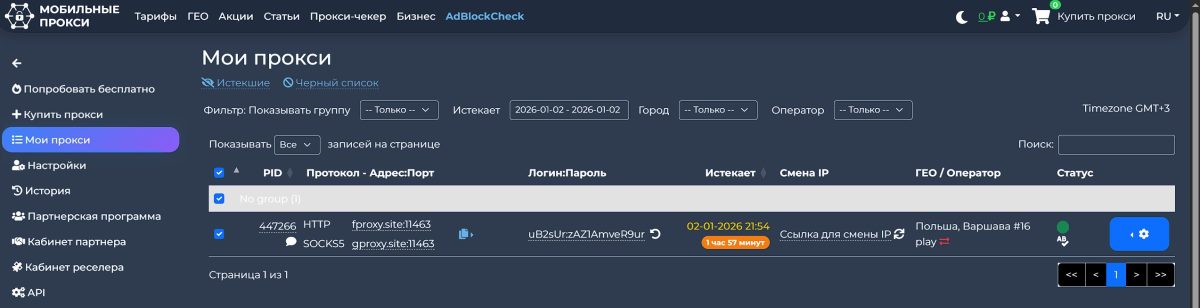
- API: Documentation is complete. JSON responses. You can integrate it into a Python script in 5 minutes.
change_ip— works flawlessly.reboot— if the modem hangs (happens once in a blue moon), you can remotely reboot it.
What you can do via API:
Features they don’t charge extra for:
- Anti-cloaking: A tool for affiliates. Allows you to view competitor landing pages as a real user sees them, punching through the cloak.
- Browser Extension: Simple, but lets you change IP with a button in the toolbar. Handy for manual testing.
Price Tag: Comparing with the Market Sharks
MobileProxy.Space sells time, not gigabytes. That is the key difference.
Let’s compare (prices are approximate, the market is volatile):
| Service | Model | Price (CIS/Europe) | Traffic Limit | Verdict |
|---|---|---|---|---|
| MobileProxy.Space | Channel Rent | ~$25-30 / mo | Unlimited | Top for heavy tasks |
| Proxy-Cheap | Channel Rent | ~$50 / mo | Unlimited | More expensive, less GEOs |
| HydraProxy | Per port / GB | ~$3 / day | Often limited | Good for 1-day tests |
| iProxy.online | DIY (Your phone) | ~$6-10 (soft) + sim | Depends on plan | Cheap, but setting it up is a headache |
If you download a lot (scraping, video, warming up profiles) — Mobile Proxy is cheaper than everyone else. You’ll recoup the subscription in a couple of days of active work. If you need a proxy for 1 hour for one account — better to grab per-piece payment from competitors.
“Honest Cons” Section
I promised to be objective. Here is what might piss you off:
- Slow rotation. 10-15 seconds waiting for IP change — that’s an eternity when working manually. On P2P networks (like Bright Data) the change is instant (it just throws you to another device). Here, it’s a physical modem reboot. You have to wait.
- Price for Tier-1. Australia or USA can cost $80-100+ per month. That hurts if the budget is tight. Though the quality there is top-notch (Verizon/AT&T).
- No 1-hour test. Minimum test drive is 2 hours (free), but sometimes you can’t buy a package for just a day (depends on GEO), minimum week or month.
- Support. The guys are smart, but on weekends at night they might answer slower than usual. Even though 24/7 is claimed.
Summary
MobileProxy.Space is a workhorse. Not a glamorous service with pretty buttons, but a rugged tool for those who understand why they need a dynamic mobile IP.
They cover 90% of tasks in arbitrage and automation. If you’re tired of bans on server proxies and don’t want to mess around with a farm of phones on your balcony — this is your choice.
My advice: Grab the 2-hour test first (it’s free). Check the speed specifically for your carrier and your task. If it clicks — buy the month, the discounts there are tasty.