





We run one of the biggest and freshest free proxy lists on the internet. Our database has working HTTP, HTTPS, SOCKS4 and SOCKS5 proxies from 80+ countries: the US, Russia, Kazakhstan, Turkey, you name it. Every single server gets auto-checked every 5 minutes, so you’re only looking at proxies that actually work right now, with live data on speed, type and anonymity level.
Use the filters below to find the proxy you need in seconds: pick a protocol (HTTP, SOCKS4, SOCKS5), choose a country, set a max ping, done. Any address copies with one click, and you can grab the whole filtered list as a TXT, JSON or CSV file to plug into your browser, Telegram, torrent client, anti-detect browser or whatever app you’re using.
Loading...
What a Proxy Server Actually Is and How It Works
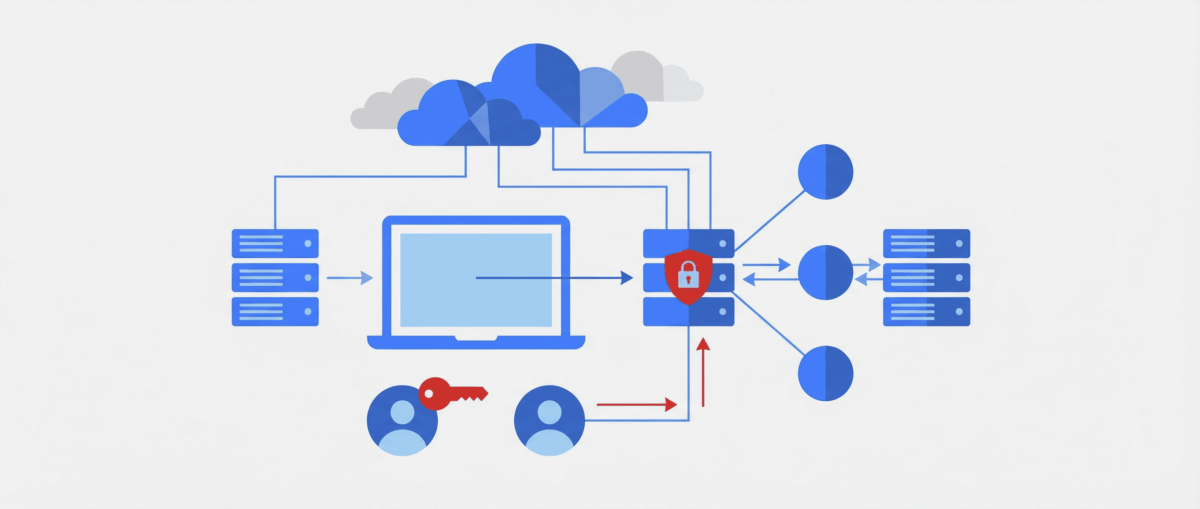
A proxy server is a middleman between your device and the internet. You send a request, it goes to the proxy first, and the proxy talks to the website on your behalf. The site sees the middleman’s IP, not your real one. That’s how you hide your location, get around blocks and open content that’s not available in your region.
Every server comes with a set of specs: IP address and port (looks like 192.168.1.1:8080), protocol, country, anonymity level and response time. All of that is in the table above. Just use the filters to zero in on what you need.
Proxy Types: HTTP, HTTPS, SOCKS4 and SOCKS5
The protocol decides what a server is good for. Here’s how they differ.
- HTTP proxies are built for web traffic. It’s the most common type, we’ve got over 1,700 of them in our list. Good for regular browsing, scraping pages and getting past simple blocks. One downside: traffic isn’t encrypted, your data goes out in plain sight.
- HTTPS proxies work the same way but with SSL/TLS encryption. The traffic between you and the server is protected, so pick this type when you’re logging into sites or handling anything sensitive.
- SOCKS4 can proxy any TCP traffic, not just web requests. People use them for torrent clients, games and other apps. But no UDP support and no login-password authentication.
- SOCKS5 is the most capable option. Handles TCP, UDP, authentication, DNS requests and IPv6. This is what people usually plug into Telegram, WhatsApp, online games and torrent clients. We’ve got 350+ working SOCKS5 servers in the database.
Proxy Anonymity Levels
Servers hide your identity to different degrees. There are three levels, and the gap between them matters.
- Elite (high anonymity) proxies mask both your IP and the very fact you’re using a proxy. The site thinks you’re a regular user on a direct connection. Best choice when privacy actually matters.
- Anonymous proxies hide your IP, but the site can tell the request came through a middleman. Your real address still can’t be found. Good enough for most tasks.
- Transparent proxies give you zero anonymity. The site gets both your real IP and the info that a proxy was involved. Companies use these for caching on corporate networks, but they’re useless for bypassing blocks.
Free Proxy Servers by Country
The server’s country decides what content you can reach. Our list covers IPs from 80+ countries, but these are the ones people look for most.
- USA is the most popular by far. An American IP gets you into Netflix, Hulu, Spotify, Craigslist and other geo-restricted services. There are always a few hundred working US servers in the database, including SOCKS5 for Telegram and gaming.
- Russia. Handy if you’re abroad and want to open Yandex, VKontakte or other Russian services. Also used for SMM work on Russian-language social networks.
- Europe: Germany, France, UK, Netherlands. You need these for European marketplaces, scraping local data and reaching EU content. European servers usually have decent speed and stable uptime.
- Kazakhstan and Turkey have blown up in popularity lately. Kazakh IPs are used for local services. Turkish ones, for shopping in local stores at local prices and grabbing subscriptions on cheaper regional plans.
- Ukraine. Needed for working with Rozetka, OLX and other Ukrainian platforms.
How to Use Free Proxies
Setup depends on your device and what you’re trying to do. Let’s go through the main scenarios.
Setup on PC (Windows 10/11)
Go to Settings, then Network & Internet, then Proxy. Turn on “Use a proxy server”, punch in the IP and port from the table, save. If you need SOCKS, grab a tool like Proxifier. It can route traffic from any app, including games and messengers.
For your browser, it’s easier to install the FoxyProxy extension (available for Chrome and Firefox). It lets you switch between servers fast, set rules for specific sites and load whole lists.
Setup on Android
Open Wi-Fi settings, tap your network, hit Modify, find the Proxy section and pick Manual. Enter the IP and port. Need to proxy mobile data instead of Wi-Fi? Download Drony or ProxyDroid from Google Play. Same deal, enter the IP and port.
Setup on iPhone
On iOS, go to Settings, then Wi-Fi, pick your network, tap Configure Proxy and choose Manual. Type in the address and port. For SOCKS5 on iPhone, apps like Shadowrocket or Potatso do the job.
Setup on Smart TV and Android TV
On Android TV: Settings, Network, Wi-Fi, pick your network, Advanced settings, Proxy. Enter the IP (that’s the hostname) and port. On Samsung and LG you’ll find it in the network menu. This unblocks YouTube and streaming services right on your TV.
Setup on PS4 and PS5
On PlayStation: Settings, Network, Set Up Internet Connection, Custom, Proxy Server, Use. Enter the address and port. For consoles, grab an HTTP proxy with the lowest ping from the nearest region.
Proxies for Messengers: Telegram, WhatsApp, Signal
Telegram
Telegram has built-in support for SOCKS5 and MTProto. Open Settings, then Data and Storage, then Connection Type and Use Proxy. Pick SOCKS5, paste the IP and port from our list. If it asks for authentication, enter the login and password. This gets you around messenger blocks, speeds up media downloads and keeps the connection stable. In the table above, just set the filter to SOCKS5 and you’ll see suitable servers right away.
WhatsApp also supports connecting through a proxy now. Go to Settings, then Storage and Data, then Proxy and enter the server address. WhatsApp runs on its own protocol, so not every server will work. Stick to ones with solid uptime and low ping.
Signal
Signal can work through a proxy too. Enter the server address in the app settings. This matters in regions where the messenger is blocked by the ISP.
Proxies for YouTube and Streaming Services
When YouTube or other video services are down or showing you a cut-down catalog, a proxy fixes it. For video, speed is everything, so pick IPs with ping under 100 ms. For watching in a browser, HTTP and HTTPS are fine. For the YouTube app on your TV or phone, set the connection up in the system network settings.
Proxies for Instagram and Social Media
SMM specialists and marketers juggling multiple accounts use proxies for Instagram all the time. Best to take HTTPS or SOCKS5 with high anonymity so accounts don’t get banned. For VKontakte and other Russian social networks, you want the same setup but with Russian IPs.
Proxies for Torrents
For torrents, go with SOCKS4 or SOCKS5, since clients like uTorrent, qBittorrent and Transmission run over TCP and UDP. In the settings, find the Connection section, pick SOCKS5, enter the address and port. That hides your IP while seeding and downloading.
Proxies for Gaming
In online games, a proxy can lower your ping, get you onto servers in other regions or dodge an IP ban. Take a SOCKS5 with the lowest ping you can find. On PC, set it up through Proxifier; on PlayStation, through the system network settings. In Minecraft you can configure the connection in the client itself or through third-party tools.
Proxy vs VPN: What’s the Difference
These are different technologies, even though people mix them up constantly. A proxy works at the level of a single app or browser. A VPN encrypts all traffic from your entire device. Proxies are usually faster since there’s no encryption overhead (except HTTPS). VPNs are safer, but slower and almost always paid.
You can find free VPN servers in open lists too, but they have the same problems: slow speeds, instability, possible traffic logging. If you just need to unblock one service, a proxy is enough. For full protection of everything you do, get a VPN or combine both.
How to Find and Pick the Best Proxy
When choosing from our list, look at a few things. Ping: lower is better. Under 50 ms is fast, 50-200 ms is average, over 200 ms is slow. Pick the protocol for your task: HTTP for websites, SOCKS5 for messengers and games. Anonymity shows how well your IP is hidden. Country matters for getting around geo-blocks.
In the table, pick a type, set a country, cap the max ping and hit Show. Copy any address in one click, or download the whole filtered list as TXT, JSON or CSV.
Free vs Paid Proxies: Which to Choose
Free servers from our list handle simple tasks fine: bypass a block once, check if a site is reachable, quickly test a connection from another IP. We check and refresh the database constantly, but free options are less stable by definition.
Paid services give you dedicated IPs, guaranteed speed, tech support and a big server pool. For serious work (large-scale scraping, managing dozens of accounts, running anti-detect browsers), buy a subscription. Prices start at around $1-2 a month for a single IPv4 address.
Risks of Using Free Proxies
Free servers are useful, but know the risks. Some of them may log your traffic: what sites you visit and what you send. Speed and stability are lower than paid ones because tons of users hammer the same servers. Free IPs also end up on site and service blacklists more often.
To stay safer: don’t enter passwords or card details over a free connection. Use HTTPS when logging into sites. Rotate servers often and check they’re still alive.
Frequently Asked Questions
What is a proxy server in plain English?
It’s a middleman server. It takes your request and passes it to the website as its own. The site sees the proxy’s IP, not yours. That’s how you hide your location and get around blocks.
How do I find an address and port?
Right here, in the table above. Set the filters to what you need: type, country, anonymity. The IP and port are in the first two columns. The copy button next to each address saves it to your clipboard.
Which type should I use for Telegram?
SOCKS5 is your best bet. Filter the table by that type, copy the IP and port. In Telegram: Settings, Data and Storage, Proxy, add a SOCKS5 server.
What should I pick for YouTube?
For a browser: HTTP or HTTPS with ping under 100 ms. For the app on your TV or phone: set up the connection in the system network settings.
Do free servers work with WhatsApp?
Yes, WhatsApp supports this kind of connection. But free options can be flaky. Go for ones with good speed and low ping.
How is a proxy different from a VPN?
A proxy reroutes traffic from one app. A VPN encrypts everything on your device. Proxies are faster, VPNs are safer. One service? A proxy is enough. Full protection? You need a VPN.
How often is the list updated?
Every 5 minutes. All servers get automatically checked for uptime, speed and anonymity.
How do I download the list?
Set your filters, pick a format (TXT, JSON or CSV) and hit Download. You’ll get a file with every matching server.
What’s the login and password for connecting?
Some servers ask for authentication. Our free ones don’t, you connect with just the IP and port.
Can I set it up on PS4/PS5?
Yep. Settings, Network, Set Up Connection, Custom, Proxy Server. Grab an HTTP proxy with the lowest ping.
Is it safe to use free servers?
For basic stuff, sure. But don’t type bank or email passwords through them. Use HTTPS for logins and rotate servers regularly.


