




 Why Trust Us?
ToProxyLab has been testing proxy services since 2025. We pay for most plans ourselves, and when a provider gives us test traffic we say so in the review — free traffic buys a place in the testing queue, nothing else. Every provider goes through the same speed, uptime and fraud-score checks, and we publish the real numbers, including the bad ones. A rating cannot be bought. Learn who we are and how we review proxies.
Why Trust Us?
ToProxyLab has been testing proxy services since 2025. We pay for most plans ourselves, and when a provider gives us test traffic we say so in the review — free traffic buys a place in the testing queue, nothing else. Every provider goes through the same speed, uptime and fraud-score checks, and we publish the real numbers, including the bad ones. A rating cannot be bought. Learn who we are and how we review proxies.
NetNut.io positions itself as a premium proxy service for enterprise clients. Most competitors build their networks on a P2P model, routing traffic through regular users’ devices. NetNut took a different approach with direct ISP integration. Sounds impressive. But does it actually work in practice?
I managed to get a trial account and put their rotating residential proxies through the wringer. I’ll tell you how I got the trial, show you real speed numbers, and break down the IP quality. And most importantly—whether NetNut is worth the money or not.
Who this service is for:
- companies doing data collection (web scraping);
- SEO specialists and marketers;
- affiliate marketers managing ad accounts;
- social media multi-accounting specialists.
First impressions—what I liked:
- “One-Hop” architecture with no middlemen devices;
- claimed pool of 85+ million IP addresses;
- coverage in 195+ countries with city-level targeting;
- support responds via WhatsApp and Telegram.
What raised some red flags right away:
- minimum entry is $99/month, no micro-packages;
- no Pay-As-You-Go for residential proxies;
- getting a trial requires talking to a sales rep.
Proxy Types and Product Lineup
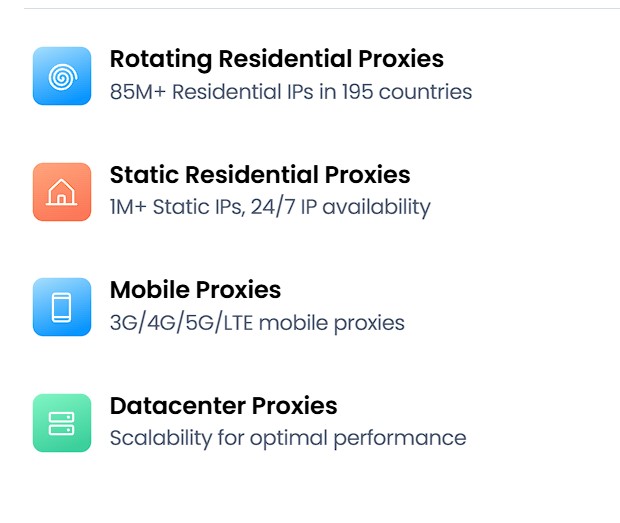
NetNut offers a full range of proxy solutions. Let’s break down each type.
1. Rotating Residential Proxies
The main product for large-scale data collection. IPs rotate automatically with each request or at set intervals. Pool of 85+ million addresses. Great for scraping marketplaces, price monitoring, and SEO analytics.
2. Static Residential / ISP Proxies
NetNut’s main selling point. These IPs belong to real ISPs (they have residential ASNs) but are hosted on servers. They combine datacenter speeds with the legitimacy of home connections. Running 24/7 with no dropouts. Best choice for managing Facebook and Google Ads accounts.
3. Mobile Proxies
Pool of over 1 million IPs from 3G/4G/5G networks. Coverage in 100+ countries. Most resistant to blocks thanks to CGNAT technology, where thousands of users share a single address.
4. Datacenter Proxies
The classic option with high speed and low cost. Works for tasks where you don’t need high trust levels from target websites.
Pricing
NetNut is clearly built for B2B. There are no $10-15 plans like Smartproxy. Minimum is $99.
Rotating Residential Proxy Plans
| Plan | Traffic | Price/month (monthly) | Price per GB |
|---|---|---|---|
| Starter | 28 GB | $99 | $3.53 |
| Advanced | 72 GB | $249 | $3.45 |
| Production | 150 GB | $499 | $3.32 |
| Semi-Pro | 350 GB | $999 | $2.85 |
| Professional | 800 GB | $1,999 | $2.49 |
| Master | 2 TB | $3,750 | $1.87 |
Annual billing gets you about 15% off. At higher volumes (2 TB+), the price drops to $1.59 per gigabyte. That’s competitive with enterprise tiers from Bright Data and Oxylabs.
Static Residential Proxy Plans
| Plan | Traffic | Price/month | Price per GB |
|---|---|---|---|
| Starter | 7 GB | $99 | $14.40 |
| Advanced | 20 GB | $250 | $12.50 |
| Production | 50 GB | $499 | $9.98 |
| Professional | 350 GB | $1,999 | $5.71 |
| Master | 1 TB | $4,500 | $4.50 |
Static IPs cost noticeably more. You’re paying for exclusive access to the resource.
Mobile Proxy Plans
| Package | Price | Price per GB |
|---|---|---|
| 100 GB | $1,600 | $16.00 |
| 250 GB | $3,500 | $14.00 |
| 500 GB | $5,500 | $11.00 |
| 1000 GB | $8,000 | $8.00 |
Mobile proxies are the most expensive segment in the market overall.
Important note: Traffic is counted as the sum of incoming and outgoing data, including headers. With unoptimized scripts, you might burn through your limit faster than expected.
My Experience: Getting a Trial
Here’s where things get interesting. NetNut doesn’t hand out trials like candy. It’s not self-service—it’s a full-on B2B gauntlet with vetting.
The Trial Process
You can’t just sign up and hit “Start Trial” here. The process goes like this:
- Register on the NetNut website.
- Contact support via WhatsApp/Telegram/Skype.
- KYC interview: the rep asks what sites you’ll be scraping and why.
- Wait for approval.
I messaged them on WhatsApp in Russian. A full day later (yeah, a whole day), support replied in English with questions: “Can you tell us more about your use case? How many GB per month are you planning to use?”
I told them I needed proxies for farming and registering Reddit accounts. In reality, I just wanted to test them for this review—but I wasn’t about to admit that to the sales rep, right?
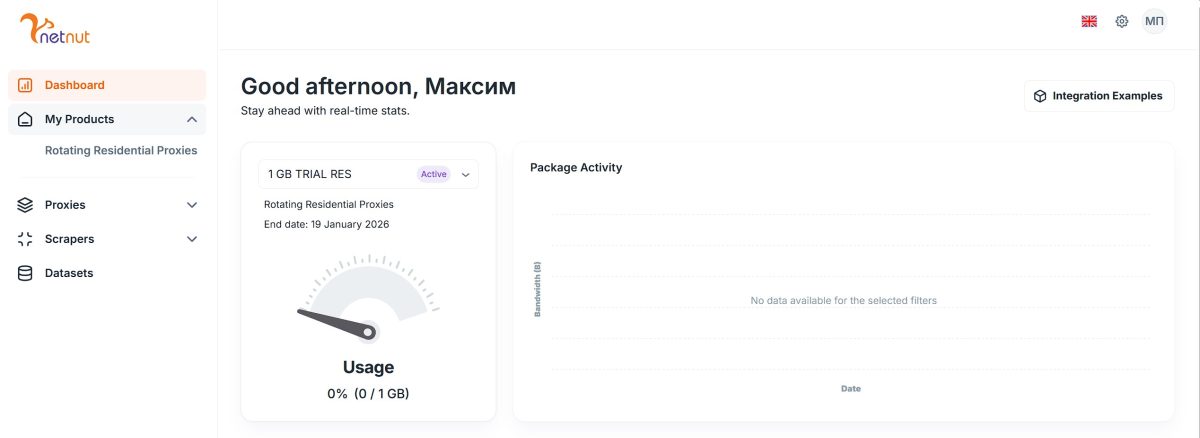
About 20 minutes after my reply, they approved my trial package: rotating residential proxies with a 1 GB limit for 24 hours.
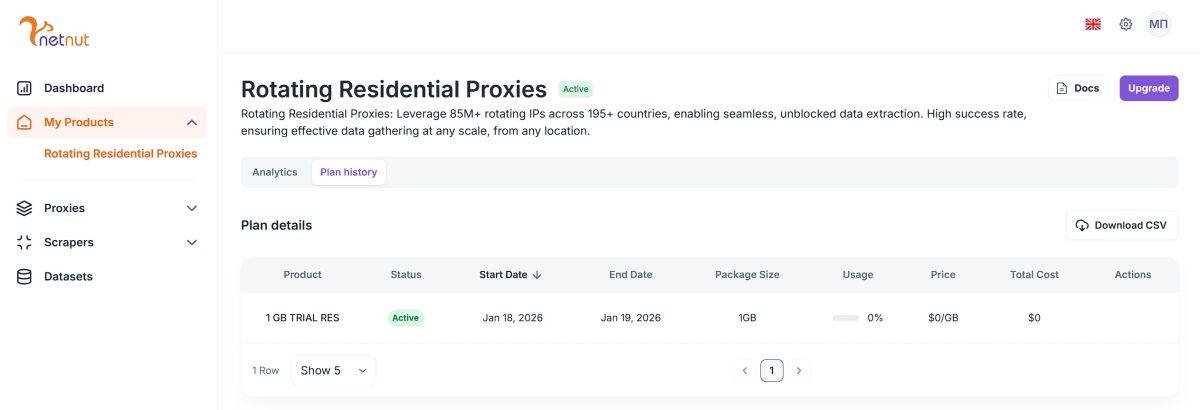
Yeah, 1 gig isn’t much. But I tried to make the most of it.
Proxy Setup
Once the trial was activated, Integration Examples appeared in my dashboard. The interface is clean—hard to get lost.
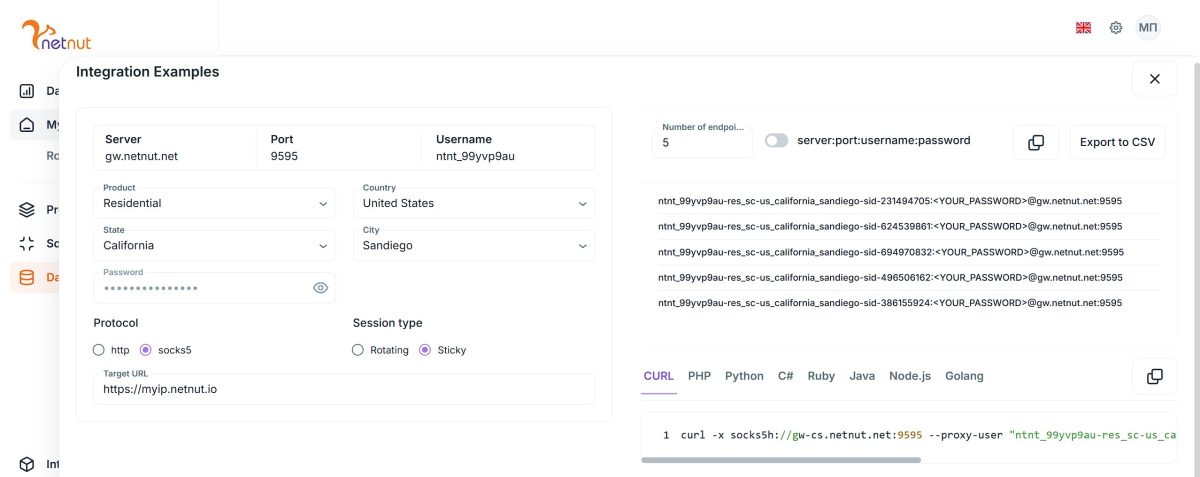
Main connection parameters:
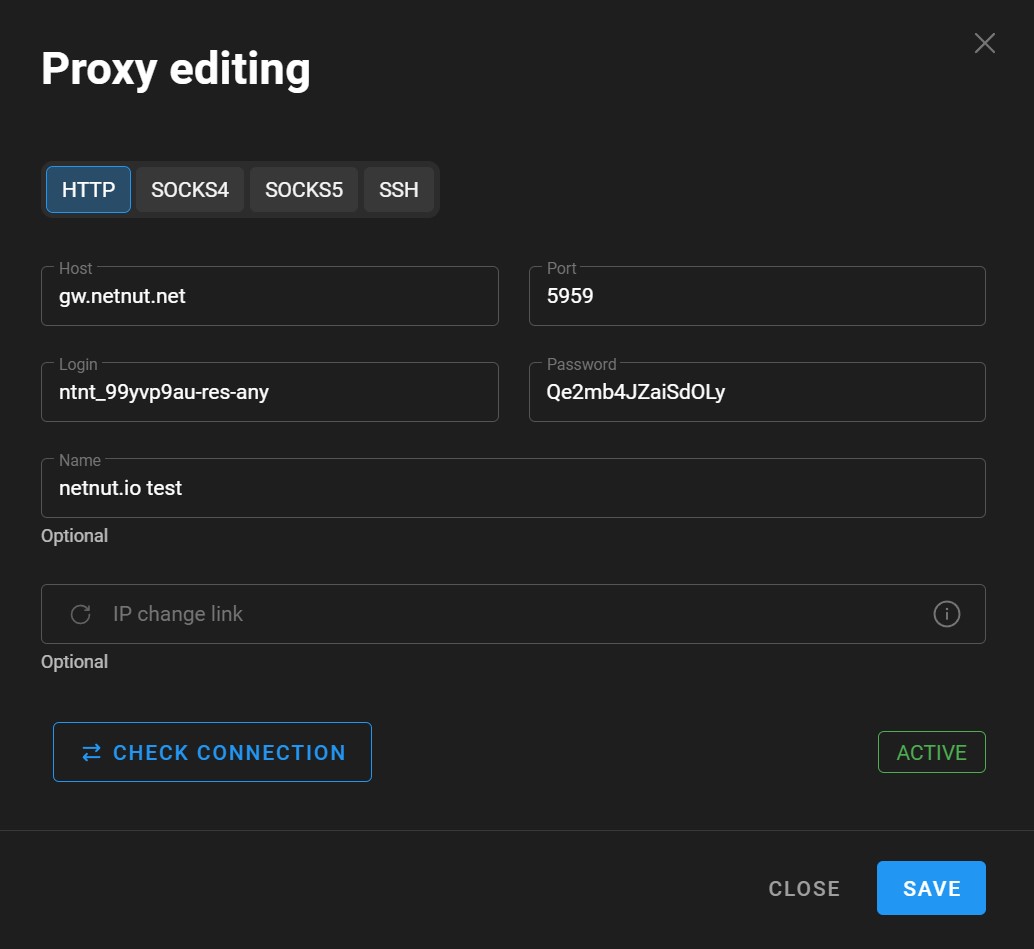
- Server: gw.netnut.net
- HTTP Port: 5959
- SOCKS5 Port: 9595
- Authentication: login:password
You can choose country (United States), state (California), city (San Diego), and session type (Rotating or Sticky). In Sticky mode, the IP stays the same throughout the session; in Rotating mode, it changes with each request or at set intervals.
Full Testing: 5 Hours and ~10 Proxies
These are rotating proxies with automatic IP changes every 10 minutes. I spent about 5 hours testing and checked around 10 different addresses from the pool. I’ll show screenshots from various proxies I got.
Test 1: Connection Speed
First and main question—how fast are these proxies?
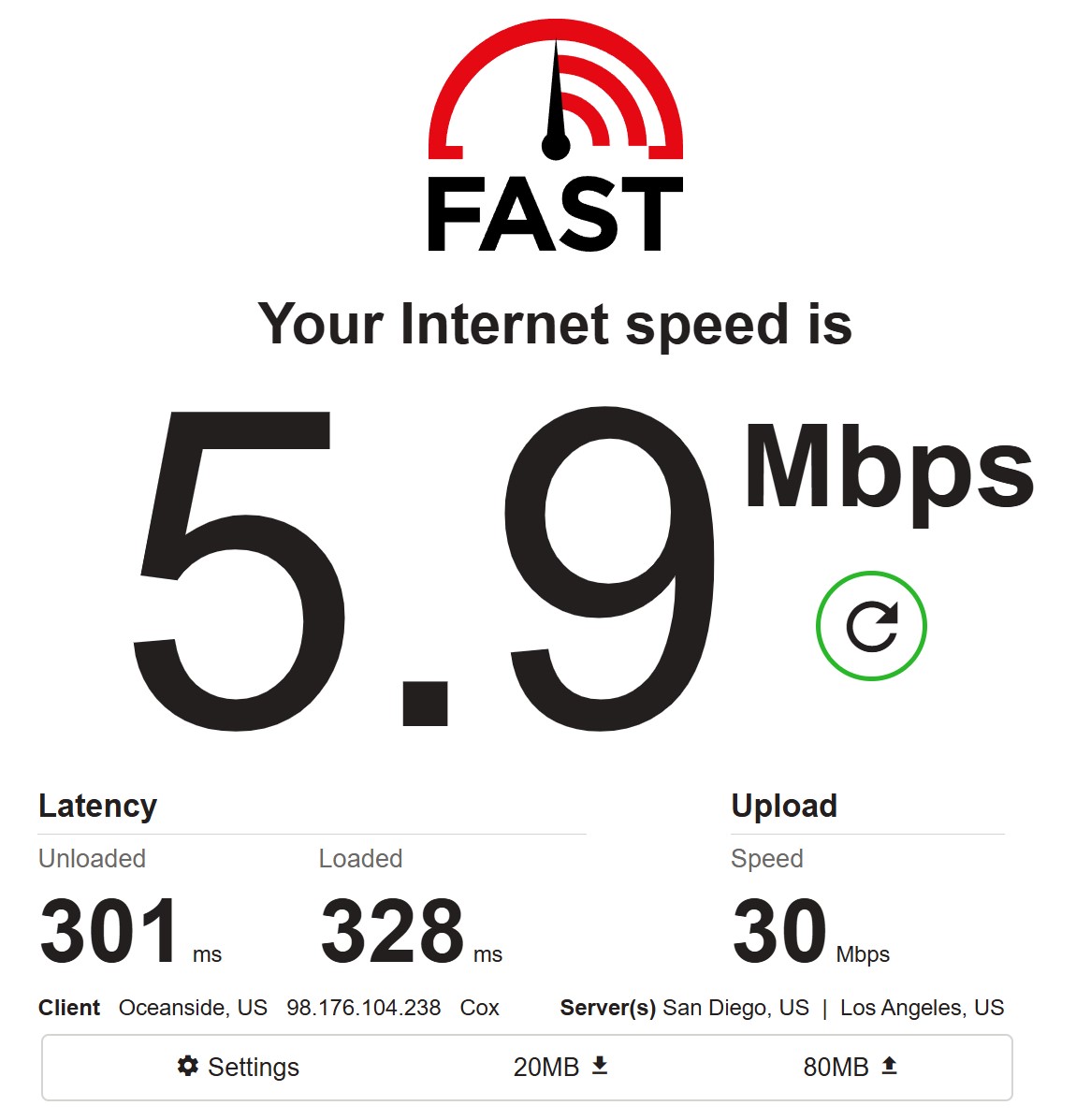
| Metric | Value |
|---|---|
| Download | 5.9 Mbps |
| Upload | 30 Mbps |
| Latency (unloaded) | 301 ms |
| Latency (loaded) | 328 ms |
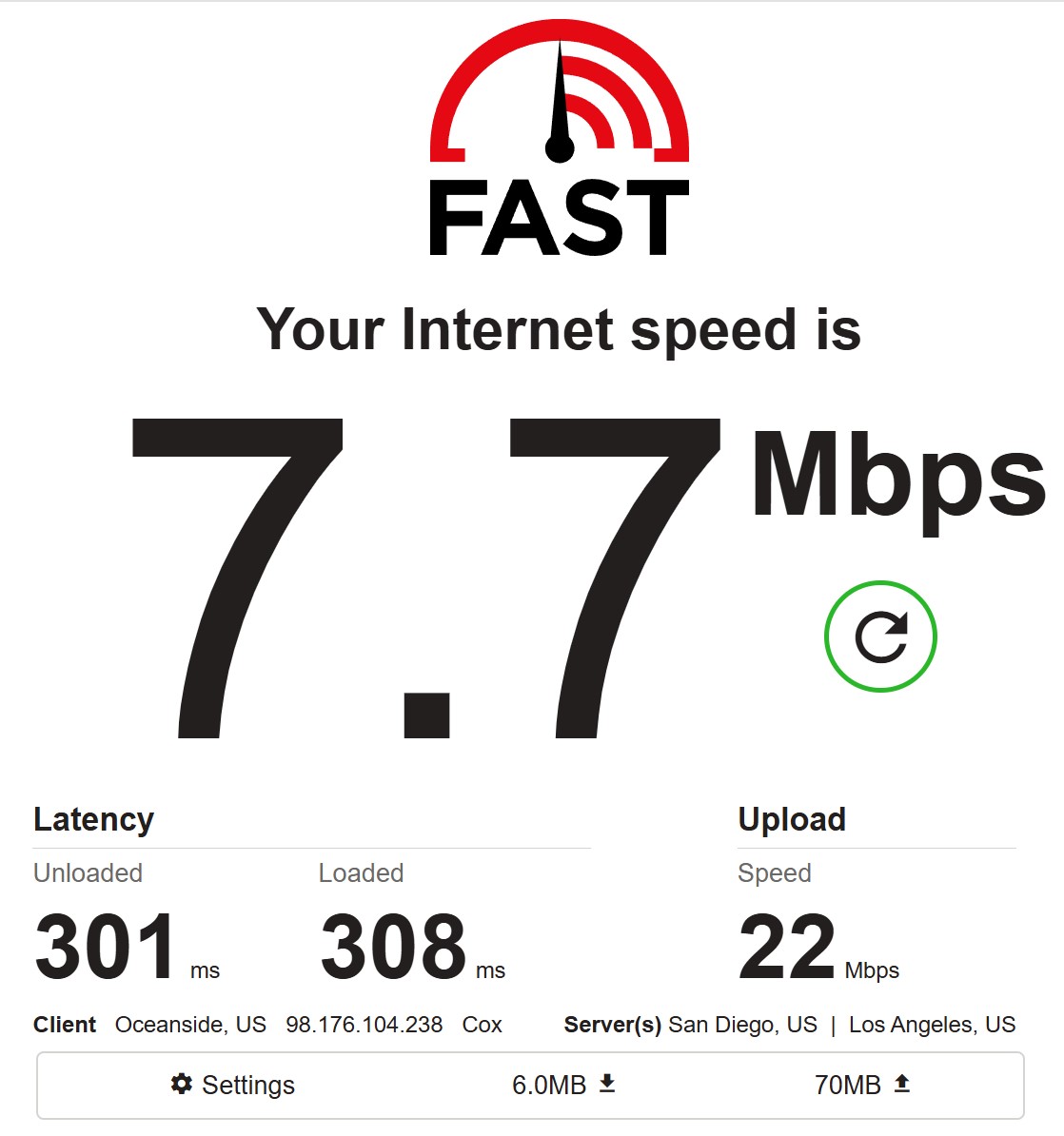
| Metric | Value |
|---|---|
| Download | 7.7 Mbps |
| Upload | 22 Mbps |
| Latency (unloaded) | 301 ms |
| Latency (loaded) | 308 ms |
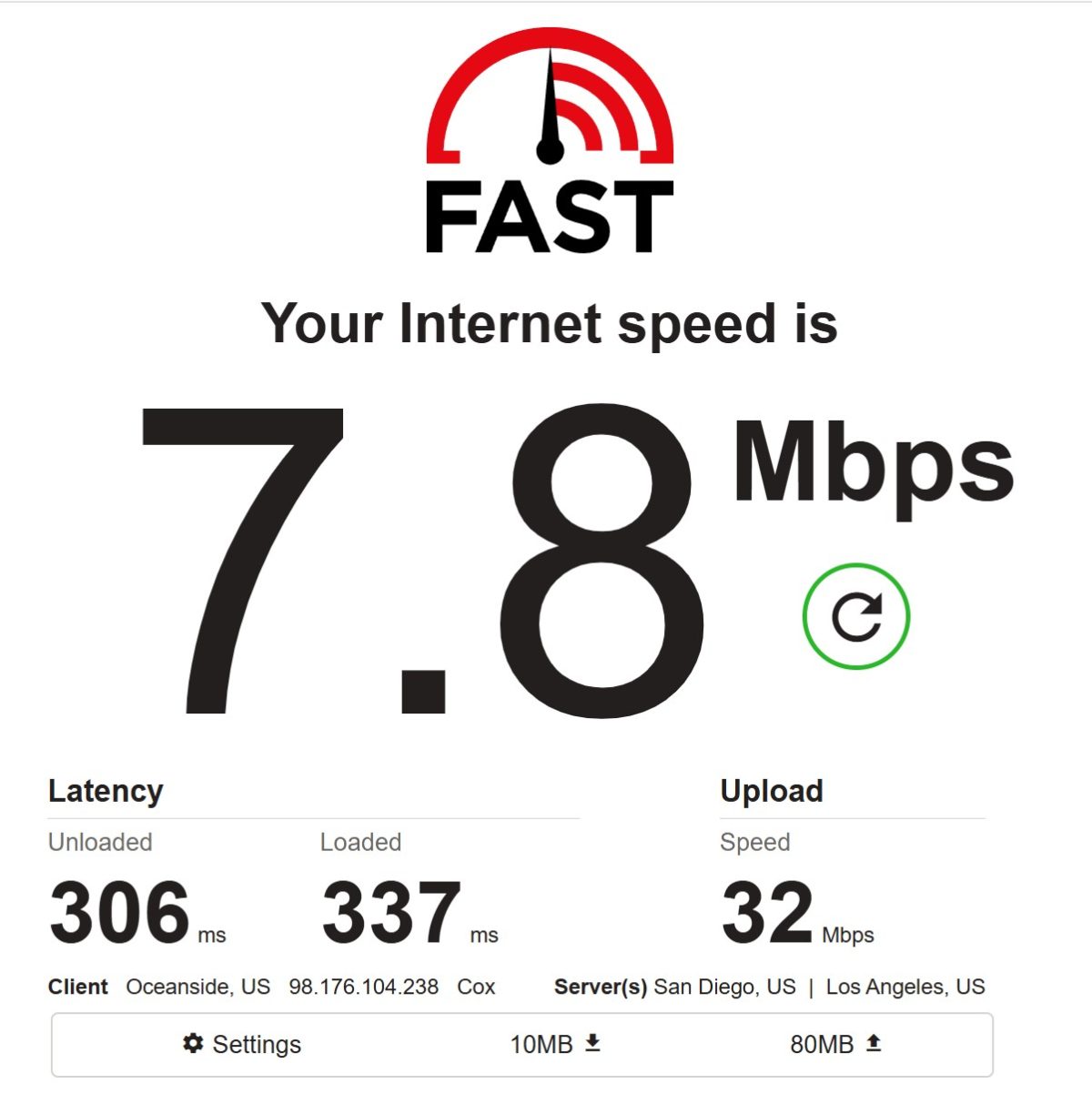
| Metric | Value |
|---|---|
| Download | 7.8 Mbps |
| Upload | 32 Mbps |
| Latency (unloaded) | 306 ms |
| Latency (loaded) | 337 ms |
On speed: Download consistently ranged from 5.9-7.8 Mbps. For typical P2P residential proxies, that’s normal. But NetNut markets itself as Direct ISP with One-Hop technology (direct connection to the provider). For true ISP proxies, this speed is honestly low—they usually deliver 20-50 Mbps. Either the trial package has throttled speeds, or the advertised architecture doesn’t work as promised. Upload was higher at 22-32 Mbps. Latency around 300 ms—expected for US proxies when testing from another location.
Good enough for web scraping and API work. Too slow for 4K streaming, but that’s not the use case anyway.
Test 2: Latency
I checked latency through proxy checkers from different points around the world.
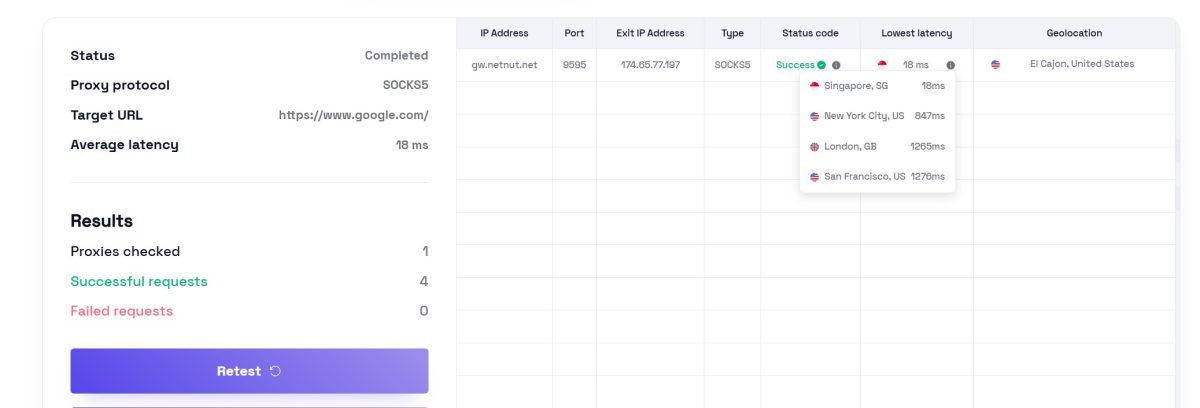
| Test Location | Latency |
|---|---|
| Singapore | 18 ms |
| New York City | 847 ms |
| London | 1265 ms |
| San Francisco | 1276 ms |
Strange results: minimum latency from Singapore (18 ms), but high from New York and London. This is due to traffic routing.
| Test Location | Latency |
|---|---|
| New York City | 807 ms |
| San Francisco | 1021 ms |
| Singapore | 1070 ms |
| London | 1541 ms |
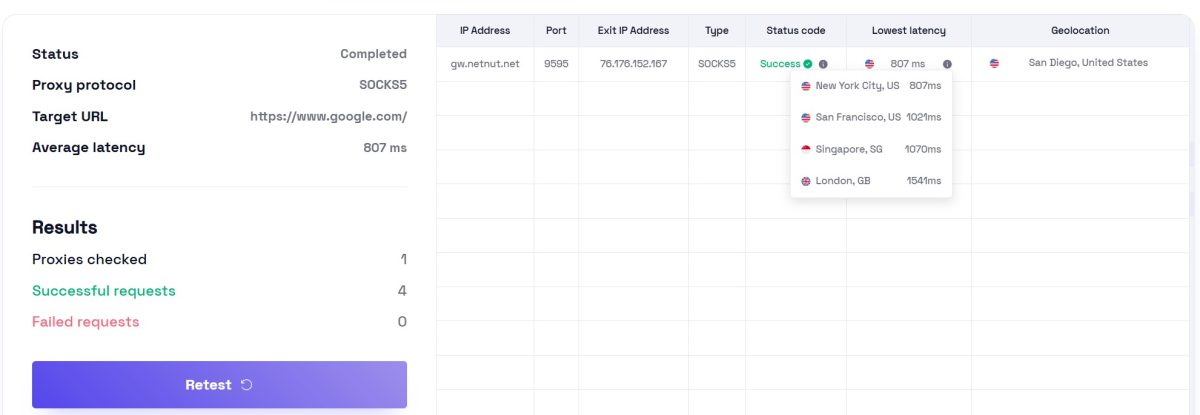
Average latency 1018 ms. Already slower.
On latency: Results vary depending on the specific IP from the pool. Range from 18 ms to 1000+ ms. For time-sensitive tasks (financial scraping, auction sniping), keep this in mind.
Test 3: IP Quality and Fraud Score
I checked several IPs from the pool for reputation and fraud risk.
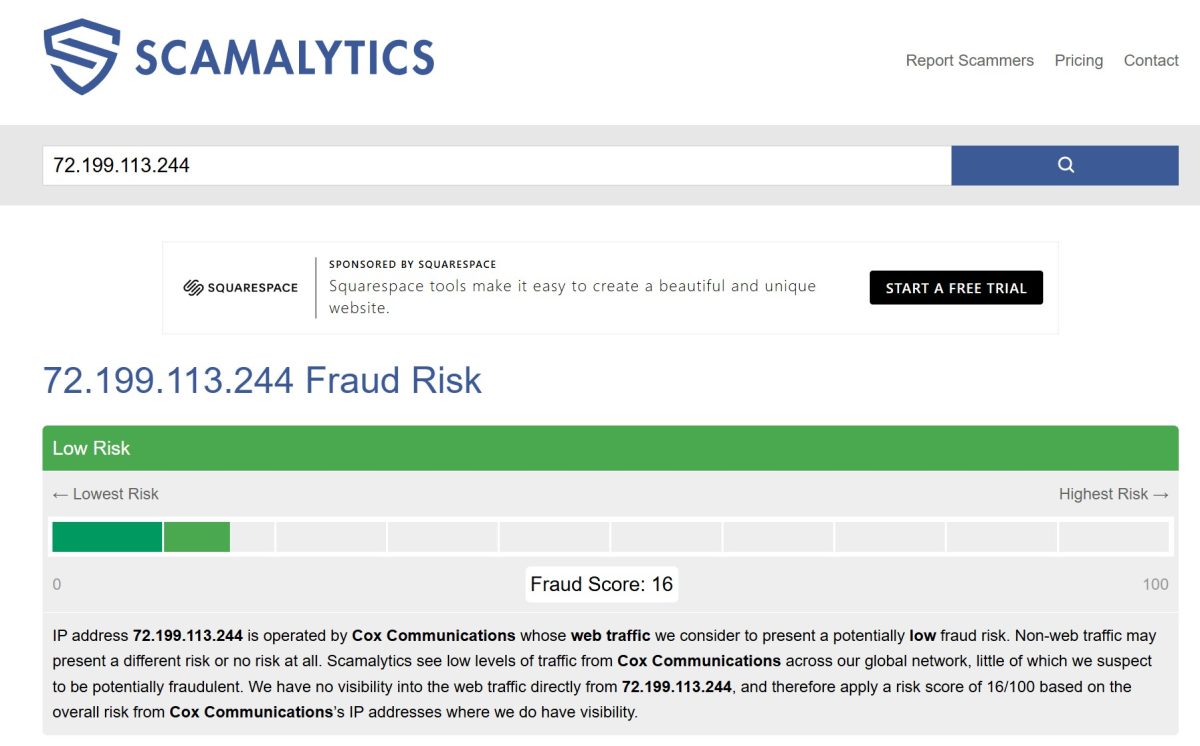
| Metric | Value |
|---|---|
| Fraud Score | 16/100 (Low Risk) |
| ISP | Cox Communications |
| Risk Level | Low |
Excellent! Fraud Score is only 16 out of 100. IP is considered low-risk.
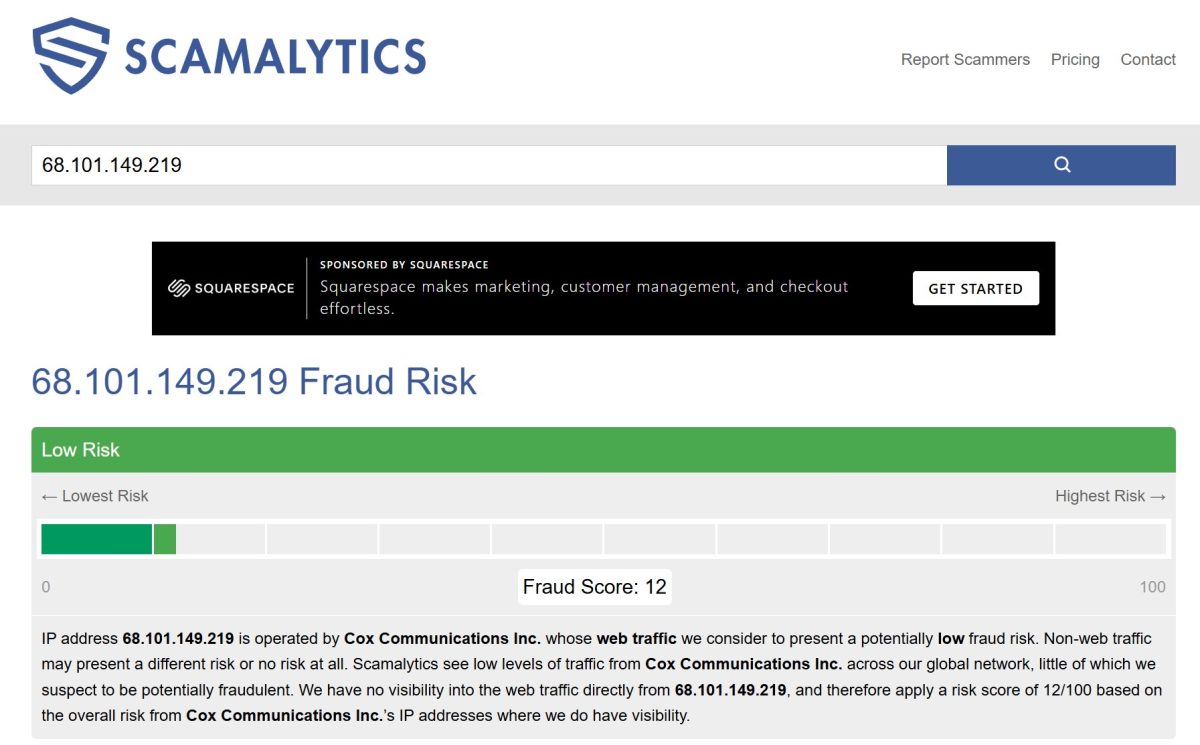
| Metric | Value |
|---|---|
| Fraud Score | 12/100 (Low Risk) |
| ISP | Cox Communications |
| Risk Level | Low |
Even better—just 12 points! Very clean IP.
On IP quality: Both addresses showed good reputation. Fraud Score of 12-16 is the level of a regular home user. For working with ad accounts and social media, these IPs are ideal.
Test 4: Blacklist Check
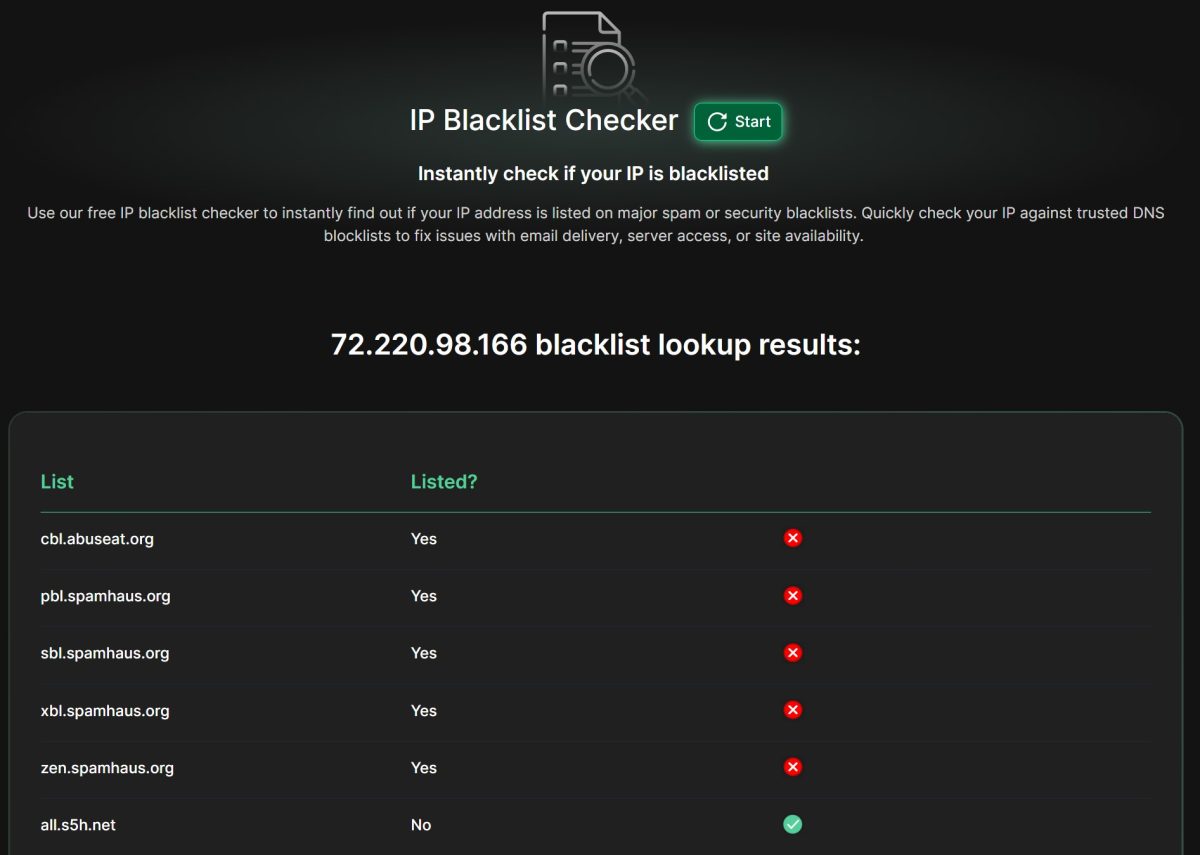
| Blacklist | Status |
|---|---|
| cbl.abuseat.org | Listed |
| pbl.spamhaus.org | Listed |
| sbl.spamhaus.org | Listed |
| xbl.spamhaus.org | Listed |
| zen.spamhaus.org | Listed |
This IP showed up on several Spamhaus lists. Don’t panic. Spamhaus PBL (Policy Block List) includes ALL dynamic and residential IPs by default because they’re not meant for direct email sending. For web browsing and scraping, this doesn’t matter at all.
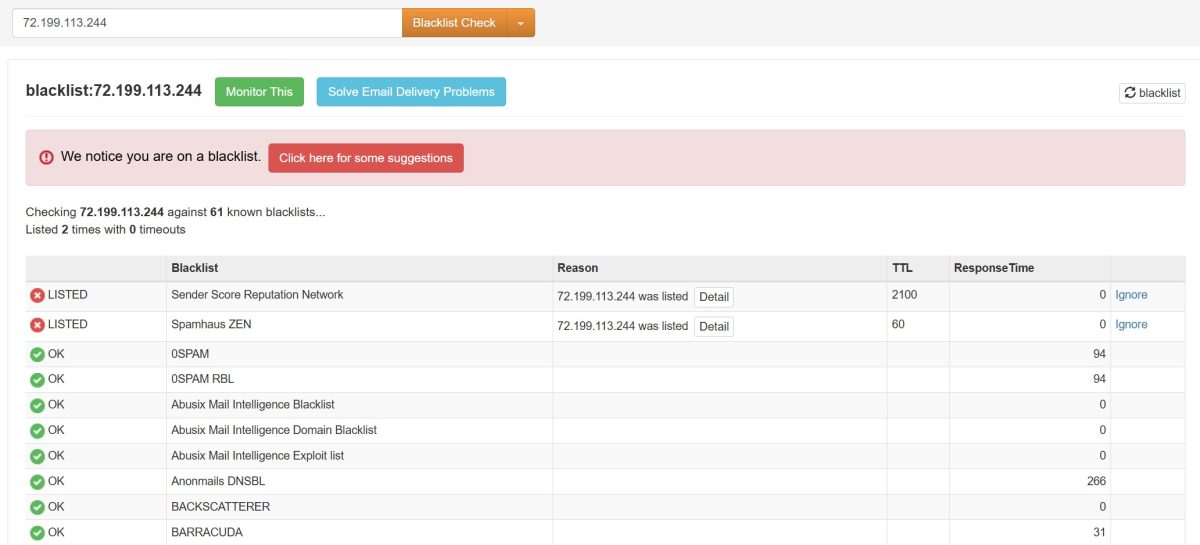
| Result | Details |
|---|---|
| Checked | 61 blacklists |
| Listed on | 2 (Sender Score, Spamhaus ZEN) |
| Clean | 59 |
Two lists out of 61. Normal for a residential IP.
Test 5: Geolocation and ISP Detection
Let’s see if location and provider are detected correctly.
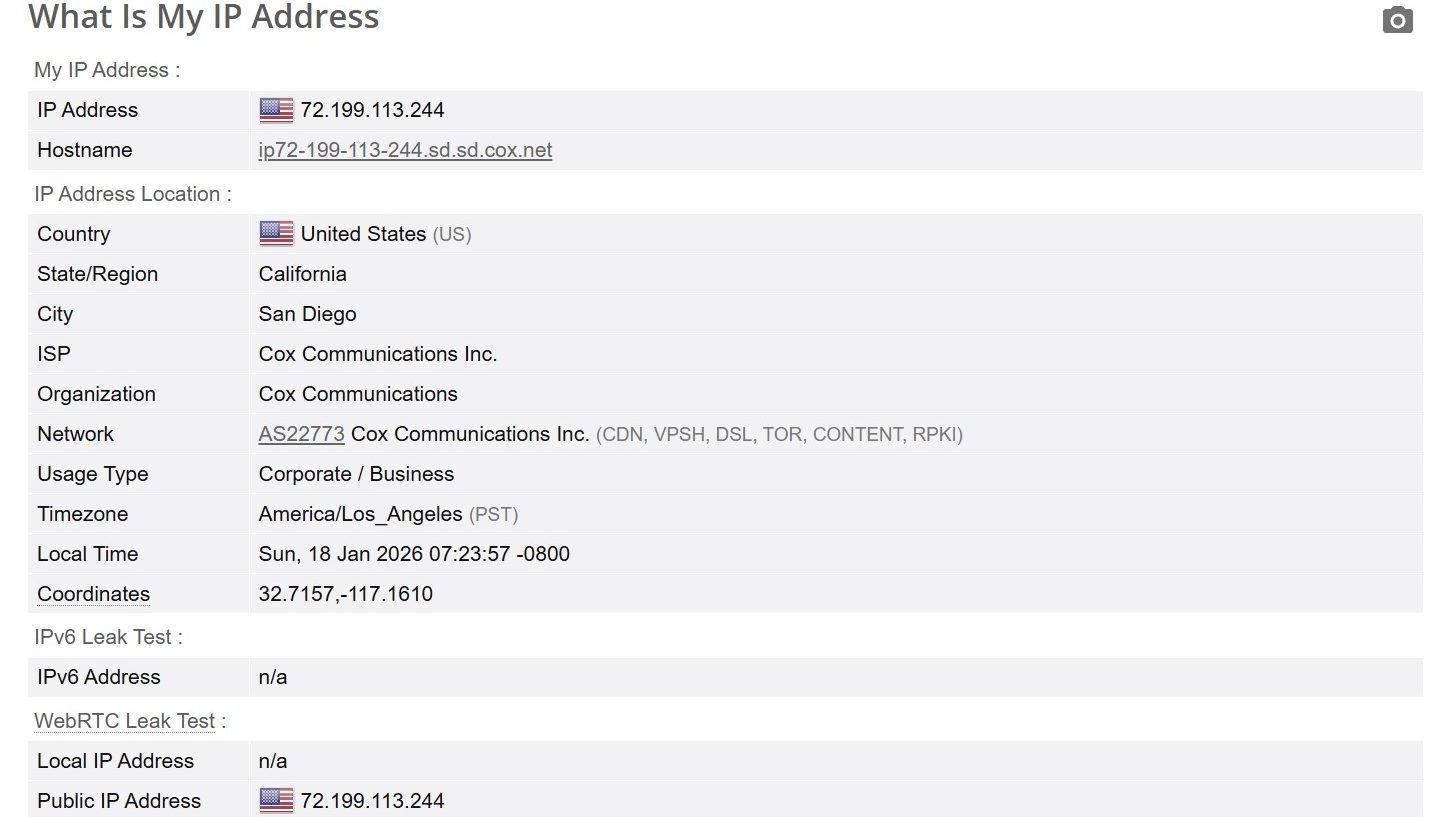
| Metric | Value |
|---|---|
| IP Address | 72.199.113.244 |
| Hostname | ip72-199-113-244.sd.sd.cox.net |
| Location | San Diego, California, US |
| ISP | Cox Communications Inc. |
| Organization | Cox Communications |
| Network | AS22773 Cox Communications Inc. |
| Usage Type | Corporate / Business |
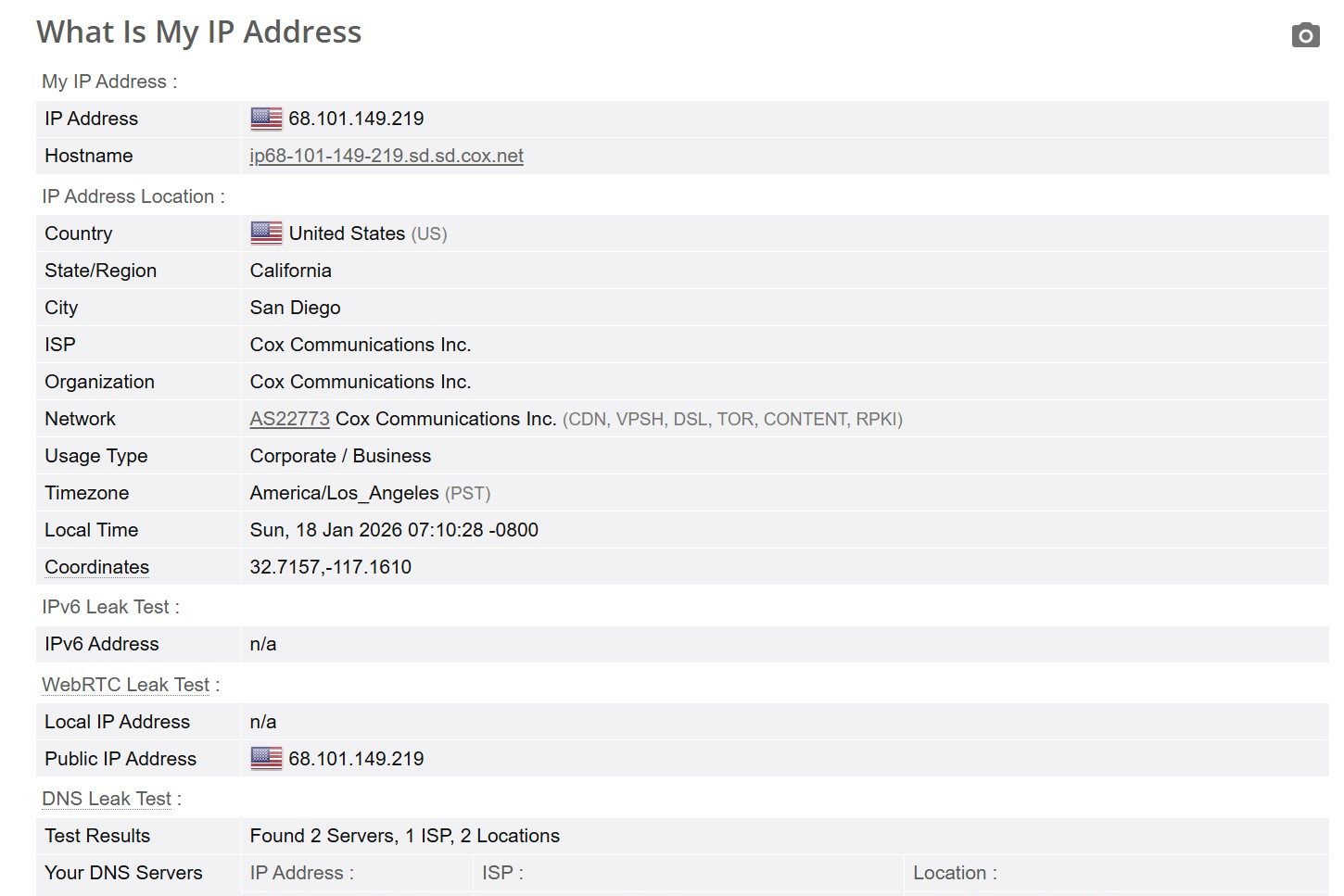
| Metric | Value |
|---|---|
| IP Address | 68.101.149.219 |
| Hostname | ip68-101-149-219.sd.sd.cox.net |
| Location | San Diego, California, US |
| ISP | Cox Communications Inc. |
| Usage Type | Corporate / Business |
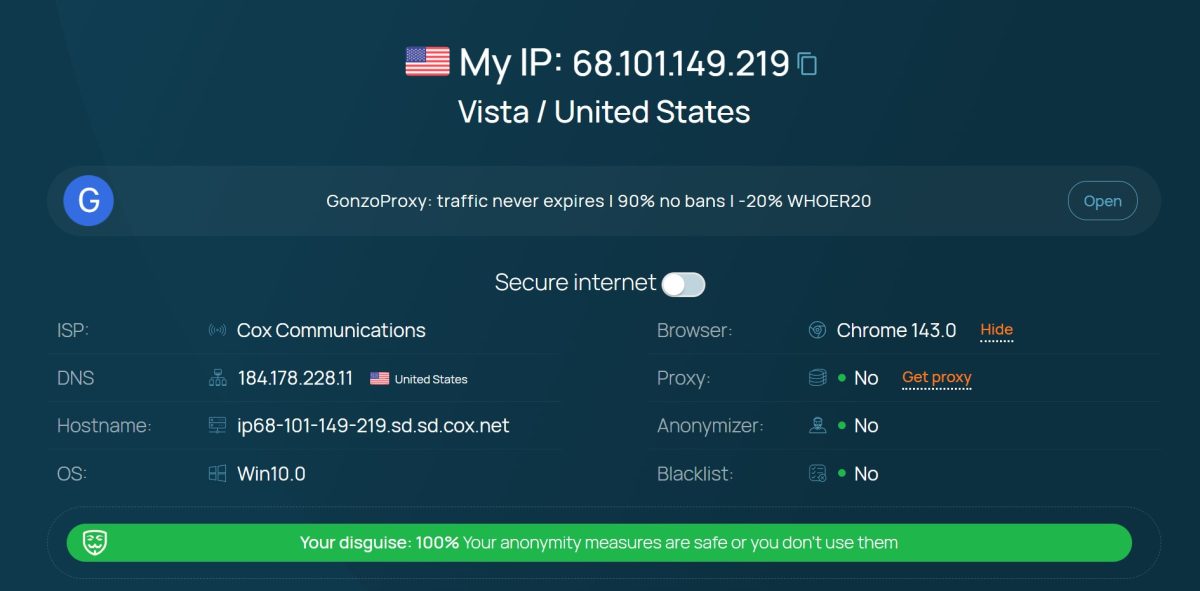
| Metric | Value |
|---|---|
| IP | 68.101.149.219 |
| Location | Vista / United States |
| ISP | Cox Communications |
| Proxy detected | No |
| Anonymizer | No |
| Blacklist | No |
| Disguise | 100% |
Key point: Whoer.net shows “Proxy: No”, “Anonymizer: No”, “Disguise: 100%”. The proxy isn’t detected as a proxy! The IP looks like a regular home connection. For residential proxies, this is the ideal result.
Test 6: DNS Leak Test
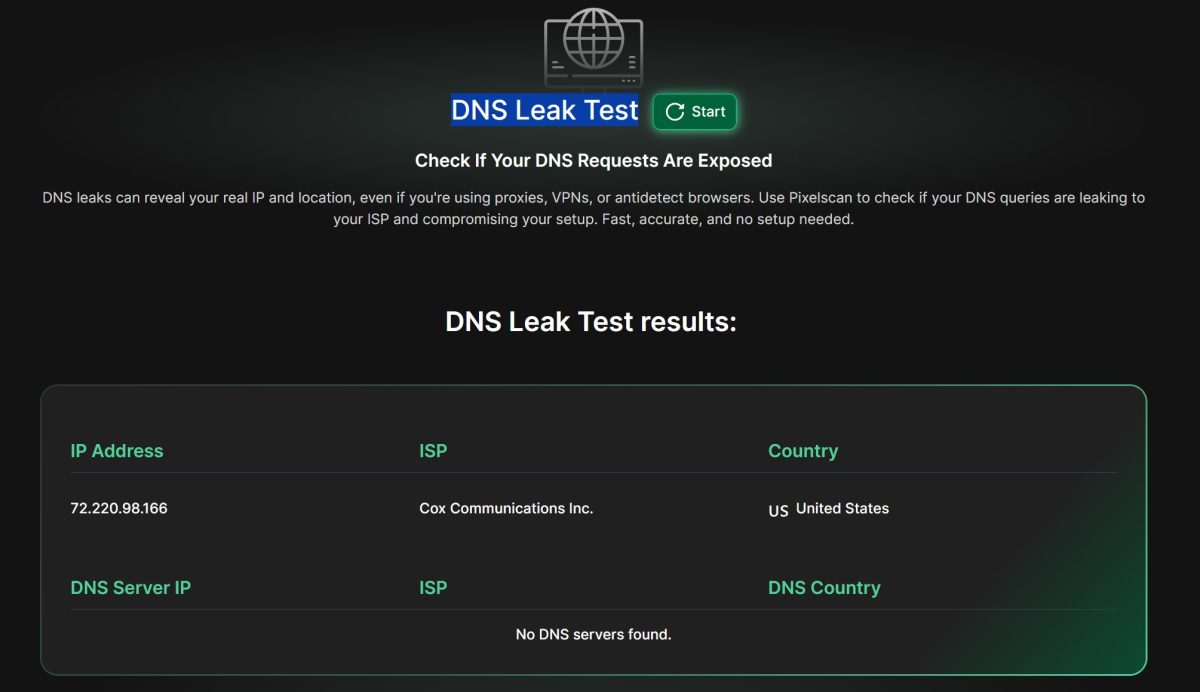
| Metric | Value |
|---|---|
| IP Address | 72.220.98.166 |
| ISP | Cox Communications Inc. |
| Country | United States |
| DNS Servers | No DNS servers found |
No DNS leaks. Good—my real IP and location aren’t exposed.
Test 7: Fingerprint Check
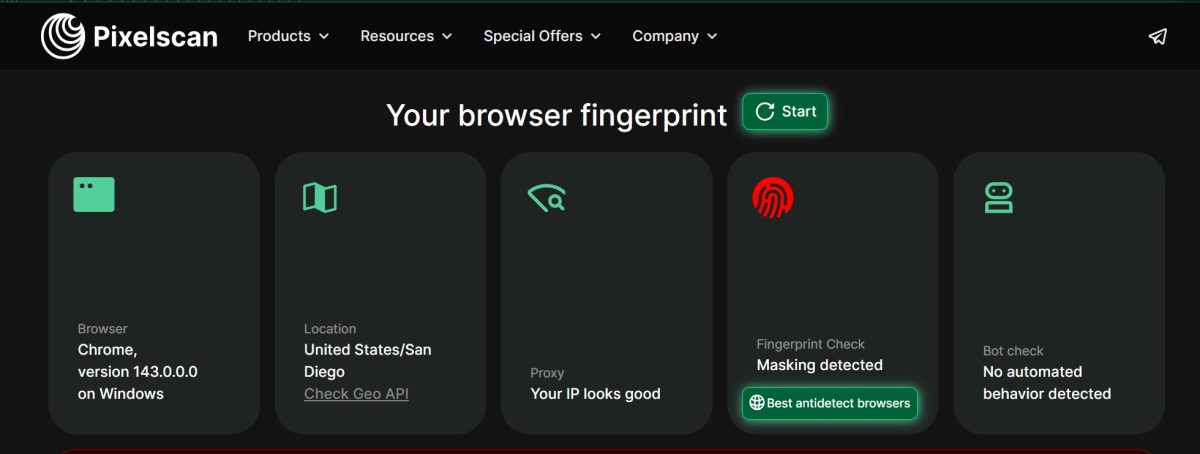
| Metric | Result |
|---|---|
| Browser | Chrome 143.0.0.0 on Windows |
| Location | United States / San Diego |
| Proxy Check | Your IP looks good |
| Fingerprint Check | Masking detected |
| Bot Check | No automated behavior detected |
Pixelscan says “Your IP looks good.” IP is fine. “Masking detected” in Fingerprint Check is from the antidetect browser, not the proxy.
Test 8: Basic IP Check
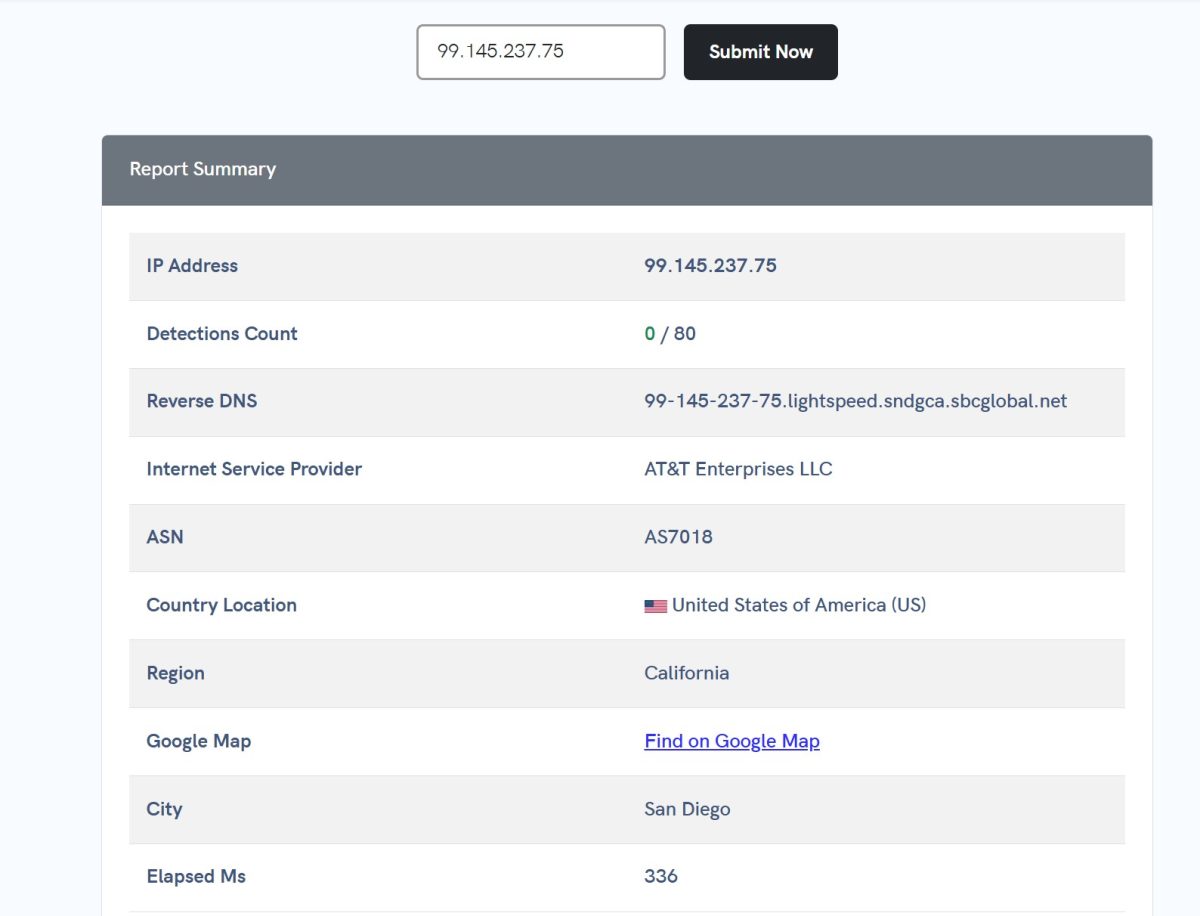
| Metric | Value |
|---|---|
| IP Address | 99.145.237.75 |
| Detections | 0 / 80 |
| Reverse DNS | 99-145-237-75.lightspeed.sndgca.sbcglobal.net |
| ISP | AT&T Enterprises LLC |
| ASN | AS7018 |
| Location | San Diego, California, US |
Zero detections out of 80 checks. The AT&T IP is squeaky clean.
Final Usage Stats
After all the tests, I burned through almost my entire trial limit.
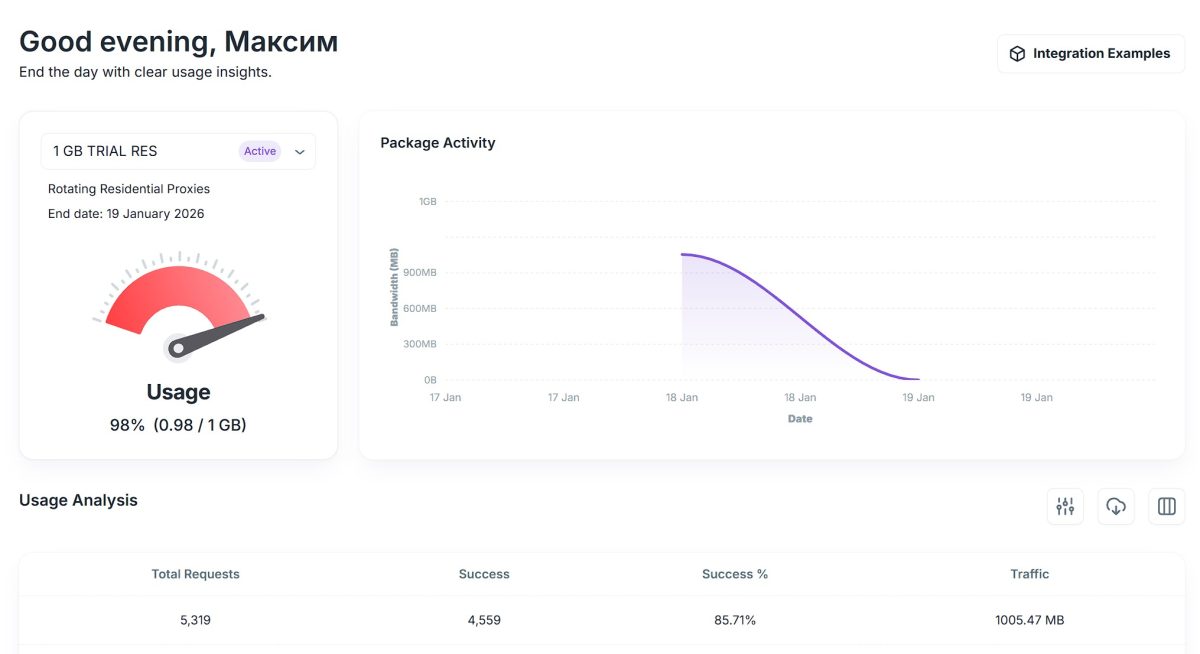
| Metric | Value |
|---|---|
| Usage | 98% (0.98 / 1 GB) |
| Total Requests | 5,319 |
| Success | 4,559 |
| Success Rate | 85.71% |
| Traffic | 1005.47 MB |
What the stats show:
- Success Rate 85.71%—below the claimed 99%. But I tested on various sites, including protected ones. In real-world scenarios, the rate could be higher.
- 5,319 requests on 1 GB—a lot. Traffic is used efficiently.
NetNut Technical Architecture
A few words on what makes NetNut technically different from competitors.
DiViNetworks Technology
NetNut is built on DiViNetworks infrastructure—a company that optimizes data delivery for ISPs. This is the main difference from P2P networks like Bright Data or Oxylabs.
How P2P networks work:
Client → Provider gateway → User device (phone/computer) → Target site
How NetNut works:
Client → NetNut gateway (inside ISP) → Target site
Simple analogy: P2P proxies are like using your neighbor’s Wi-Fi—the signal goes to their house, then to the internet. NetNut is like connecting directly through an ISP’s cable, just in another country. No “last mile” through someone’s device—hence the name One-Hop.
In theory, this should mean lower latency and better stability. In practice, my tests showed mixed results—latency was all over the place. Could be trial package limitations.
Comparison with Competitors
| Feature | NetNut | Bright Data | Oxylabs | Smartproxy |
|---|---|---|---|---|
| Technology | Direct ISP (One-Hop) | Hybrid (P2P + SDK) | Hybrid (P2P + DC) | P2P |
| Pool Size | 85M+ | 150M+ | 100M+ | 55M+ |
| Success Rate | ~85-99% | 99.90% | 99.95% | 99.47% |
| Minimum Entry | $99/mo | ~$10 (PAYG) | ~$10 (PAYG) | ~$7 (PAYG) |
| Pay-As-You-Go | No | Yes | Yes | Yes |
| Price per GB (Enterprise) | ~$1.59 | ~$2.45 | ~$3.00 | ~$1.50 |
NetNut vs Bright Data: Bright Data is the tech leader with powerful tools (Web Unlocker, built-in CAPTCHA solver). Need a turnkey solution for tough sites—Bright Data wins. But NetNut is cheaper at high volumes.
NetNut vs Smartproxy: Smartproxy is built for small businesses, with a low entry point and Pay-As-You-Go. NetNut loses on flexibility for smaller clients but wins on static ISP proxy quality.
Interface and Usability
NetNut’s dashboard is minimalist. Main sections: Dashboard, My Products, Proxies, Scrapers, Datasets.
What I liked:
- clean interface without clutter;
- convenient endpoint generator (Integration Examples);
- CSV export for bulk proxy loading;
- code examples for different languages (Python, PHP, Ruby, Java, Node.js, Golang).
Room for improvement:
- usage stats don’t update quite in real-time;
- no built-in proxy checker.
Refund Policy
NetNut is strict here:
- Money-back guarantee: Not offered.
- Compensation: Only through SLA if uptime drops below guaranteed levels.
- Process: You need to submit a claim with proof of downtime.
Serious downside. Competitors usually offer 3-7 day refund windows.
Payment Methods
They accept:
- Visa / Mastercard;
- PayPal;
- Wire Transfer;
- Cryptocurrency.

What Tasks NetNut Is Good For
Recommended:
1. Enterprise Web Scraping
Budget of $500+/month and need stable infrastructure? NetNut is a solid option.
2. Managing Ad Accounts
Static ISP proxies work great for Facebook Ads and Google Ads, where IP changes trigger checkpoints.
3. SEO Monitoring
City-level geo-targeting lets you accurately check Google search results across different locations.
4. Financial Scraping
One-Hop architecture gives you a speed advantage for time-sensitive tasks.
Use with Caution:
5. Social Media Multi-Accounting
For Instagram/TikTok, mobile proxies are better than residential.
Not Recommended:
6. Small Business and Freelancers
The $99 threshold and no Pay-As-You-Go isn’t for small-scale work.
7. Email Marketing
Some IPs are on Spamhaus lists.
Final Test Results
| Metric | Result | Rating |
|---|---|---|
| Download Speed | 5.9-7.8 Mbps | 2/5 |
| Latency | 18-1000+ ms (unstable) | 2/5 |
| IP Quality (Fraud Score) | 12-16/100 (Low Risk) | 5/5 |
| Blacklists | 2/61 (acceptable) | 4/5 |
| Geo Detection | San Diego, CA – accurate | 5/5 |
| Proxy Detection | Not detected as proxy | 5/5 |
| ISP Type | Residential (Cox, AT&T) | 5/5 |
| Success Rate | 85.71% | 3/5 |
Pros and Cons
- Direct ISP architecture without P2P middlemen;
- massive pool of 85+ million IPs;
- high-quality IPs (low Fraud Score, not detected as proxies);
- city-level geo-targeting;
- competitive pricing at high volumes (from $1.59/GB);
- support via messengers (WhatsApp, Telegram).
- no micro-packages for testing (minimum $99)—the price itself is market-rate for quality ISP proxies, the issue is lack of flexibility;
- no Pay-As-You-Go for residential proxies;
- trial only through a sales rep;
- speed lower than expected for claimed Direct ISP technology;
- latency is all over the place (18 to 1000+ ms);
- Success Rate 85.71%—below the claimed 99%;
- basically no refunds;
- support doesn’t respond right away (I waited a full day).
Conclusion
NetNut.io is a premium provider for enterprises with budgets of $500+/month. The service doesn’t try to please everyone. The high entry barrier and hassle of getting a trial filter out smaller users.
In return, you get direct ISP proxies that combine the legitimacy of residential IPs with the stability of server infrastructure. IP quality is genuinely good: low Fraud Score, proxies aren’t detected, geolocation is spot-on.
My tests revealed issues too: speed for the claimed Direct ISP technology is honestly low (5.9-7.8 Mbps instead of the expected 20-50 Mbps), latency fluctuates, Success Rate is below advertised. Most likely these are trial package limitations – paid plans with higher volumes should perform better.
Choose NetNut if:
- your company has a $500+/month budget;
- you need speed for financial scraping;
- you manage Facebook/Google ad accounts and need static ISP proxies;
- you’re looking for a Bright Data alternative with more straightforward architecture.
Skip NetNut and consider alternatives if:
- you’re a freelancer with a $20-50 budget – check out IPRoyal or Proxy6 for affordable options;
- you need Pay-As-You-Go pricing – Oxylabs offers this with comparable quality;
- you want a quick start without talking to sales reps.
Final Rating: 3.5/5
The proxies are quality for the price. But the high entry barrier and strict policies won’t suit everyone. Recommended for B2B tasks with serious volumes.
I’ll update this review as new info comes in.
Pool of 85+ million IP addresses
Plans starting at $99/month
Great value at high volumes